


A point-of-sale system connects customer payments, business software, and sensitive transaction data. That makes POS security a core business concern, not a task reserved for the IT team. One outdated terminal or poorly protected account can disrupt sales, expose customer information, and create costly recovery work.
Security improves when you treat the entire payment environment as one connected system. Hardware, software, staff access and service providers all require regular review.

The Evolving Threat Landscape
Payment systems face attacks designed to steal credentials, intercept transaction data or block access to critical services. Current cyber threat trends include phishing, ransomware and attacks on third-party vendors. A criminal may target an employee’s login because gaining valid access can be easier than breaking through technical controls.
Older POS software creates another opening. Vendors eventually stop issuing security patches for outdated operating systems and applications. Businesses should inventory every terminal, record software versions and confirm when vendor support ends. Include routers, tablets and integrated business applications in that inventory since a weakness elsewhere on the network can still affect payment operations.
Why POS Security Matters for Business
A POS incident can stop revenue at the exact point where customers are ready to pay. Consider a busy retailer whose terminals become unavailable for four hours. The immediate loss includes missed transactions, but employees must also handle complaints, reconcile incomplete records and restore normal operations.
Data exposure creates longer-term costs. A business may face forensic reviews, customer notifications, contractual penalties and increased processing scrutiny. Trust can also suffer if customers believe the company handled their information carelessly.
POS protection should be part of a wider security program. This guide to small business data security explains common gaps involving access, backups and employee practices that often extend beyond the checkout area.
Choosing Secure Payment Processing
Start with a processor that supports your sales channels and clearly explains security responsibilities. Businesses that need to accept credit cards in person, online, on the go or through integrated systems should evaluate how each transaction is protected from entry through settlement.
Ask providers how they use encryption and tokenization. Encryption protects data while it moves, while tokenization replaces sensitive account details with values that have little use if stolen. Confirm that the provider supports current Payment Card Industry Data Security Standard requirements and offers tools for managing user permissions.
Contract details matter too. Review incident support, system availability commitments, update schedules and integration requirements before signing. A low transaction rate has limited value if service interruptions or unsupported software create operational risk.
Implementing Best Practices for POS
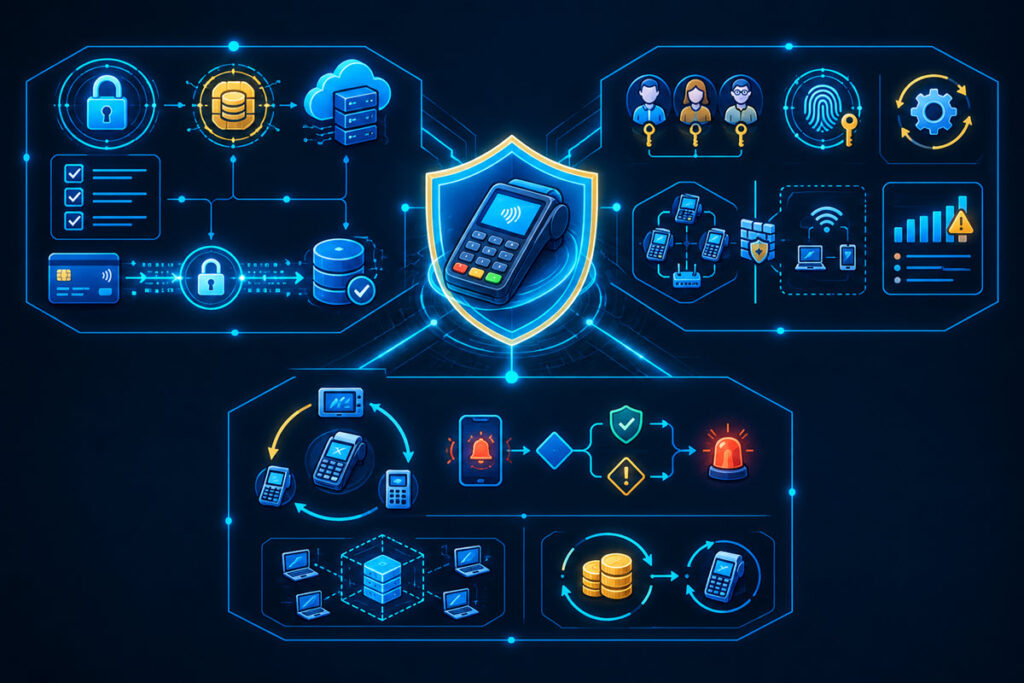
Secure configuration turns good technology into dependable protection. Give each employee an individual account and grant only the access their role needs. A cashier may need to process refunds up to a set limit, while larger adjustments require a manager’s approval. Remove accounts promptly when employees leave.
Enable multi-factor authentication for administrative portals and remote access. Change default passwords, apply software updates on a defined schedule and separate payment devices from guest Wi-Fi. Review security logs for unusual refund activity, repeated failed logins, and access outside normal business hours.
Automation can reduce missed tasks. Guidance on security automation strategy shows how automated controls can support both protection and efficiency. Alerts, scheduled updates and account reviews still need an assigned owner who checks that they work.
Future-Proofing Your Transaction Security
Build security requirements into every POS upgrade instead of adding controls after deployment. Before connecting a new inventory platform, delivery application or customer loyalty tool, document what data it receives, where that data goes and who can access it. Test integrations in a separate environment so errors don’t interrupt live sales.
Create an incident response plan with specific contacts and decision points. Staff should know who can disconnect an affected terminal, contact the processor and approve temporary payment procedures. Run a short exercise at least once a year using a realistic scenario, such as suspicious administrator access during a weekend shift.
Track terminal age, support deadlines and replacement budgets in one register. When the next system review arrives, that record will show which devices require action before support expires.
