


The right technology often makes all the difference between a good sales team and a great one. While talent and strategy are crucial, an outdated or clunky sales tech stack can cause problems, slow down your reps, and cost you sales. If your team spends more time battling their software than talking to prospects, it’s a clear sign your tools are holding them back. Upgrading your sales technology isn’t just about getting the newest gadget; it’s a smart move to clear obstacles, empower your team, and boost revenue.
A modern tech stack handles administrative tasks automatically, offers clear insights into performance, and helps reps focus on what they do best: building relationships and closing deals. By carefully looking at your current tools and pinpointing areas for improvement, you can build a system that truly drives growth. This means examining everything from your main CRM to the specific tools that make daily work more efficient.
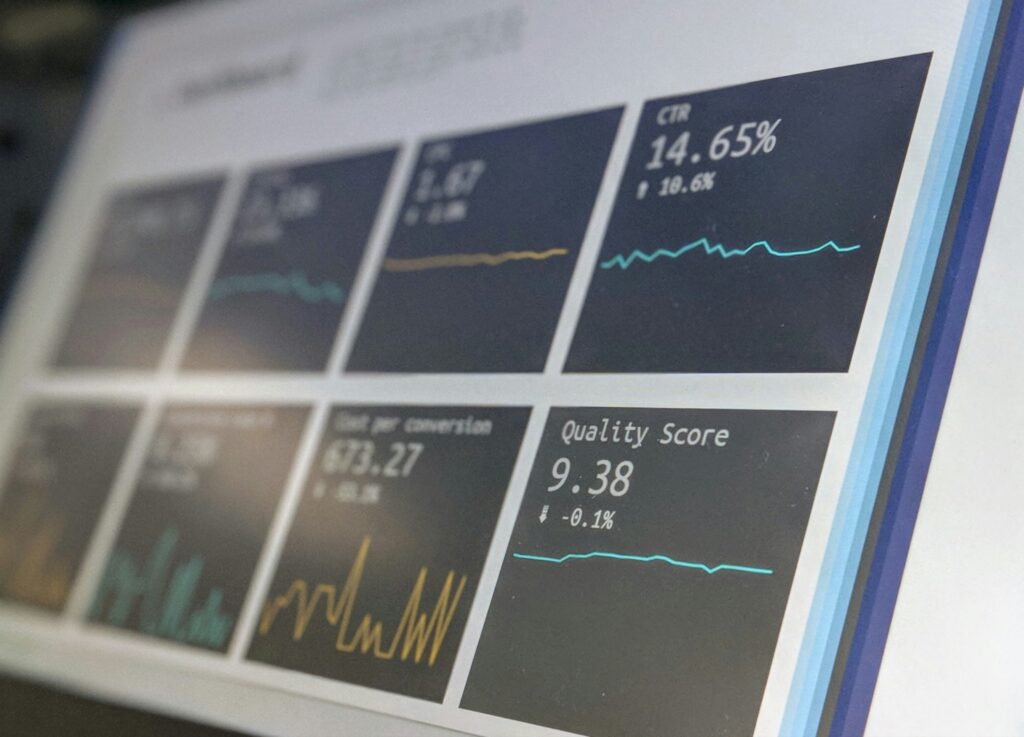
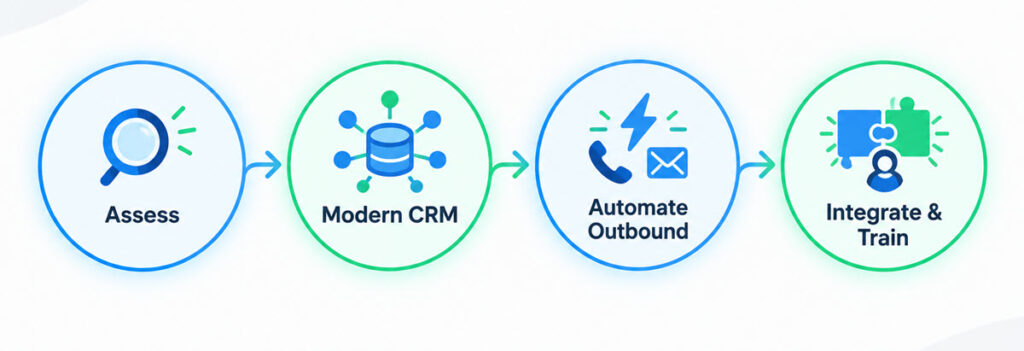
Assessing Your Current Sales Tools
Before you can build a better tech stack, you need to honestly evaluate what you already have. A thorough check will uncover bottlenecks, duplicate tools, and gaps in your current setup. Start by listing every piece of software your sales team uses, from the CRM to email clients and call logging apps. For each tool, ask your team key questions to see how well it works and where the problems are.
Here’s what to consider during your evaluation:
- Do people actually use it? Is everyone on the team using the tool consistently, or have they found manual ways around it? Low adoption is a big warning sign that a tool is either too complicated or doesn’t solve a real problem.
- How much time does it take for admin? Ask your reps to estimate how much time they spend on administrative tasks within each platform, like entering data or logging activities. If the software creates more work than it saves, it’s not doing its job.
- Can you get to your data easily? Can you easily pull reports that give you a clear view of performance? Are your tools creating data silos where important information is stuck in one system and not available in another? A fragmented SaaS sales tech stack means you can’t see the whole customer picture.
- What does the team think? Conduct anonymous surveys or one-on-one interviews to get honest feedback. Your reps are on the front lines and know exactly where the friction is. They might point out issues you haven’t thought of, like slow loading times or a lack of mobile access.
Once you have this information, you’ll have a clear idea of what’s working, what’s broken, and where the biggest chances for improvement lie. This data-driven approach ensures your next investment will solve a real problem, thereby unlocking workplace efficiency.
Essential Components of a Modern CRM
Your Customer Relationship Management (CRM) system is the core of your sales tech stack. It should be the single reliable source for all customer interactions, pipeline data, and sales activities. Yet, many companies still use old CRMs that are little more than digital address books. A modern CRM is an active, smart platform that helps sales teams work smarter, not harder.
The most important job of a modern CRM is to give you a complete view of the customer. This means every email, phone call, meeting, and support ticket is logged and visible in one place. When a rep can see an account’s entire history at a glance, they can have more relevant and personal conversations. Beyond just managing contacts, look for key CRM features for sales that boost productivity. Automation is key here. Your CRM should be able to automate repetitive tasks like sending follow-up emails, assigning leads to reps, and updating deal stages based on specific triggers. This frees up your team to focus on high-value activities.
What’s more, strong analytics and reporting features are essential. A modern CRM should offer customizable dashboards that show key metrics like pipeline velocity, conversion rates per stage, and sales cycle length. This helps sales leaders spot trends, forecast accurately, and coach their teams more effectively. Mobile access is also vital for teams on the go, making sure they can update records and get information from anywhere.
Boosting Your Outbound Efficiency
For sales teams focused on finding new prospects, efficiency is everything. The more prospects your team can connect with, the more opportunities they create. However, traditional methods like manual dialing, leaving voicemails, and logging calls take a lot of time and wear people down. This is where specialized tools can offer a huge return on investment by automating the most tedious parts of the job.
The goal is to maximize the time your reps spend in live conversations. Tools designed for outbound efficiency cut out the wasted time in between. For teams making hundreds of calls a day, a mobile-first power dialer can automate dialing from a list, skip voicemails, and log activity directly into the CRM. This simple change can double or even triple the number of conversations a rep has each day. Instead of manually typing numbers and waiting through ringtones, the software instantly lines up the next call after the previous one ends.
Beyond calling, consider email automation platforms. These tools let reps create and send personalized email sequences to hundreds of prospects at once. They can track open rates, click-throughs, and replies, giving valuable data on which messages are working. When used together, these outbound tools create a powerful engine for generating new business. The trick is to choose solutions that integrate smoothly with your CRM to ensure all activity is captured without needing manual data entry.
Integrating New Tools Seamlessly
A bunch of powerful but disconnected tools isn’t a tech stack; it’s a tech silo. When your software doesn’t talk to each other, you create more work for your team and risk losing valuable data. A sales rep might have to manually copy notes from a dialer into the CRM or compare information between an email platform and a contact database. This friction slows down the sales process and leads to an incomplete view of the customer journey. True productivity comes from a smoothly integrated system where data flows automatically between applications.
The importance of software integration for business efficiency is paramount. When looking at new tools, their ability to integrate with your existing systems, especially your CRM, should be a top priority. Look for native integrations first, as these are usually built and maintained by the software provider and offer the most reliable connection. For example, a dialer with a native Salesforce integration will automatically log every call, record the outcome, and sync call recordings to the correct contact record without any manual effort.
If a native integration isn’t available, explore solutions that use APIs (Application Programming Interfaces) or third-party connectors like Zapier. These platforms act as a bridge between different applications, letting you create automated workflows. For instance, you could set up a workflow where a new lead from a web form is automatically added to your CRM, assigned to a rep, and enrolled in an email sequence. By making integration a priority, you build a cohesive system that saves time, improves data accuracy, and gives your team a unified platform to work from.

Training Your Team on New Tech
Introducing a new tool is only half the battle; getting your team to adopt it and use it effectively is what truly determines its success. Poor training and a lack of ongoing support are common reasons why expensive software investments don’t deliver results. A well-planned training strategy is crucial for a smooth transition and getting the most out of your investment.
Start by clearly explaining why you’re getting the new technology. Explain the specific problems it solves and how it will make your team’s jobs easier and more productive. When reps understand the personal benefits, like less administrative work or the ability to hit their targets faster, they’re more likely to accept the change. Don’t just show them how to use the features; show them how the tool fits into their daily workflow to help them reach their goals.
Your training plan should be hands-on and continuous. Here are some best practices for a successful rollout:
- Find your champions: Pick a few tech-savvy team members to become “super users.” Train them first and let them help their peers during the wider rollout.
- Provide a sandbox: Give your team a safe practice environment where they can try out the new tool without worrying about breaking anything or affecting real data.
- Create quick guides: Develop simple, one-page documents or short videos that cover the most common tasks. This gives reps an easy way to find answers without interrupting their work.
- Offer ongoing support: Getting people to use new technology doesn’t end after the first training session. Schedule regular check-ins and offer office hours to answer questions and reinforce best practices for employee software training.
By investing in proper training, you empower your team to get the most out of your new tools from day one, making sure the technology becomes an asset rather than a source of frustration.
The right tech stack doesn’t just support your sales process; it speeds it up. By taking a strategic approach to assessing, selecting, and implementing new tools, you can eliminate friction and empower your team to perform at its best. The result is a more efficient, data-driven sales organization ready to exceed its goals.
