


Need one IP that never changes? A static-IP VPN keeps your address stable—so you can dodge Starlink’s carrier-grade NAT, stop Salesforce from flagging “suspicious” logins, and sail past CAPTCHA walls. Out of 60-plus services we reviewed, only about ten even sell dedicated IPs with usable speed, port-forwarding options, and solid privacy. We tested them all and crowned six clear winners—read on to see which one fits your workflow.
Six static-IP VPNs, side by side
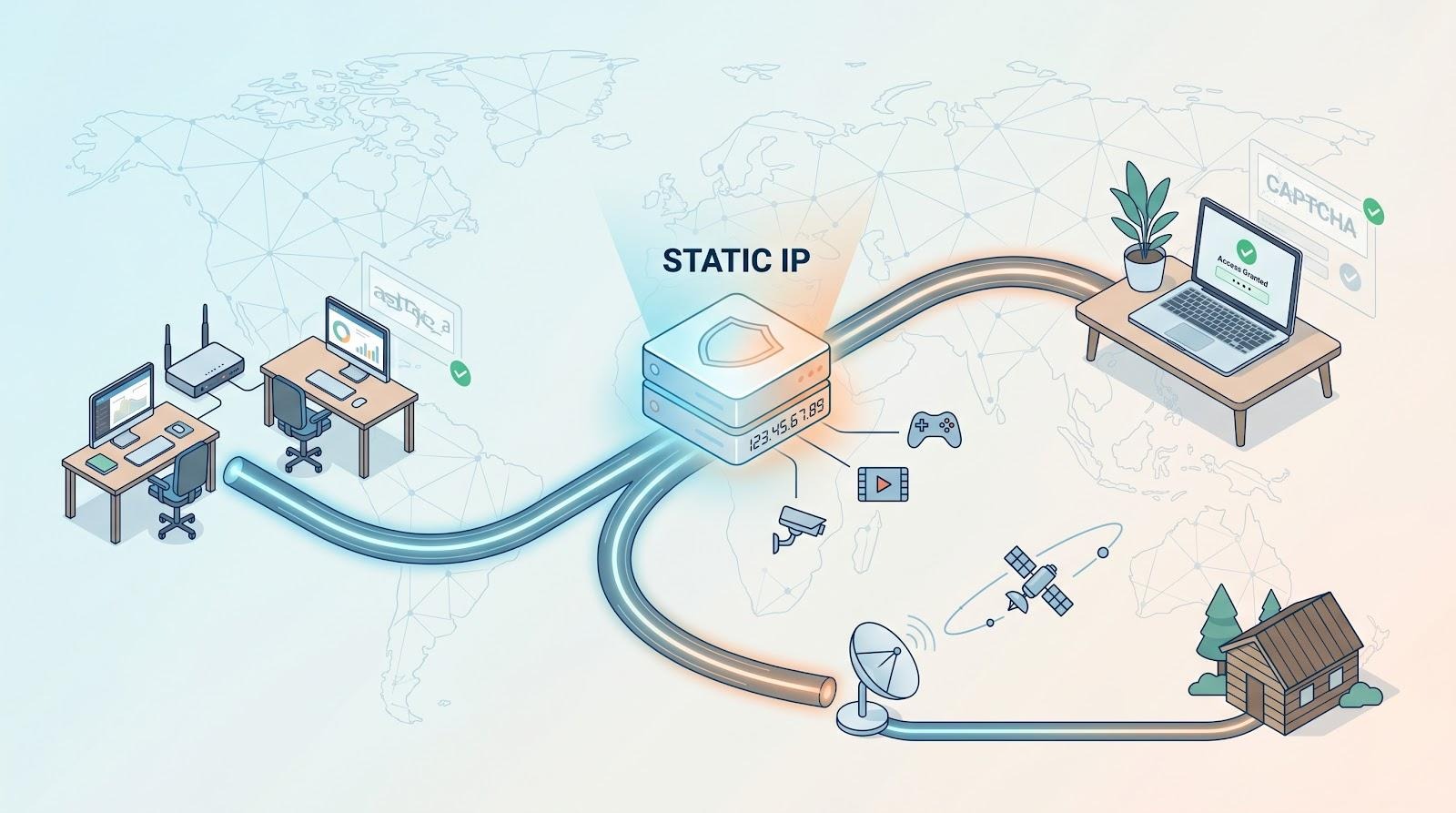
Need the TL;DR before the deep dives? The table below highlights four core factors: country reach, port-forwarding support, privacy model, and real cost, so you can triage fast.
| VPN | Static-IP type | Countries (dedicated) | Port-forwarding? | Tokenised assignment | Add-on cost † | Best for |
| TorGuard | Datacentre / residential | 50+ DC / US & UK res | Yes | No | USD 7.99 (DC) / USD 7.99 (res) | Starlink, CAPTCHA-free hosting |
| NordVPN | Datacentre | 28 | No | No | about USD 5.80 | Fast all-round workhorse |
| Surfshark | Dedicated | 20 locations | No | Yes | about USD 3.75 | Unlimited-device teams |
| Private Internet Access | Datacentre | 10 | Yes * | Yes | USD 2.50 | Budget-minded privacy buffs |
| PureVPN | Datacentre | 17 (bundle dependent) | Yes (with bundle) | No | about USD 4.00 | Multi-IP small businesses |
| ExpressVPN | Datacentre | 22 | No | Yes | USD 5–7 | Speed-first professionals |
† Add-on price when paired with a two-year base plan, rounded to the nearest US dollar.
- Port forwarding unavailable on US nodes.
We’ll explore where each service excels (and where it falls short) in the next section.
1. TorGuard – clean IPs and open ports for Starlink and self-hosting
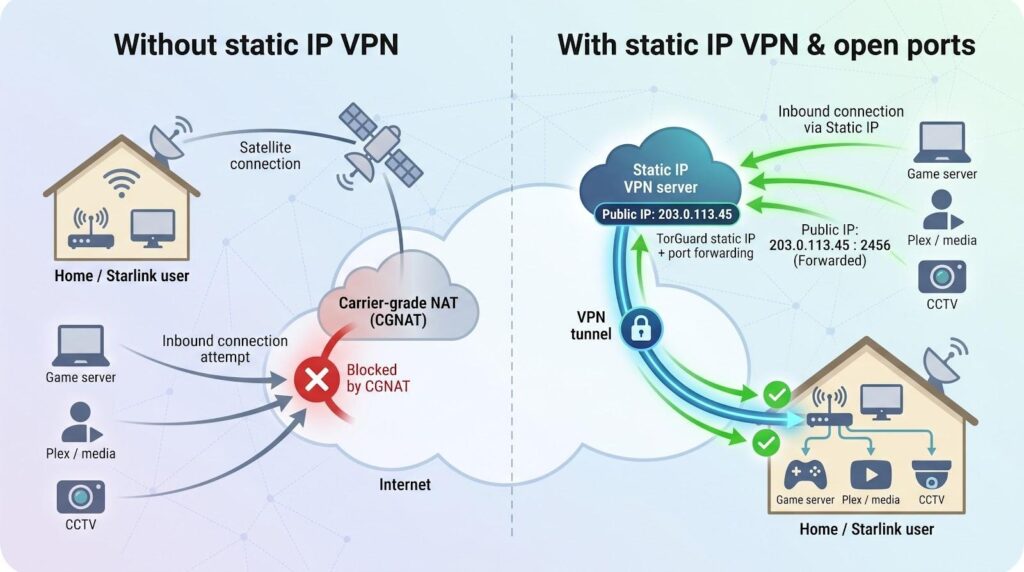
TorGuard’s interface won’t win design awards, but advanced users choose it because it fixes problems many rivals ignore. The provider even markets its dedicated addresses as the best dedicated IP VPN for avoiding captchas, touting “captcha immunity” that keeps Cloudflare challenges at bay. In practice, a residential TorGuard IP does pass those checks, while the datacentre option lets Starlink customers bypass carrier-grade NAT and host game servers without extra setup, as confirmed in Reddit threads from rural installers and gamers.
Why it stands out
- Residential or datacentre choice
A personal datacentre IP costs USD 7.99 per month and supports WireGuard plus unrestricted inbound ports. Need to look like a home subscriber? The residential tier costs the same and sources addresses from ISPs such as Spectrum or AT&T. - Performance that’s good enough
Independent WireGuard tests on a 1 Gbps fiber line averaged ≈ 180 Mbps down / 190 Mbps up with 38 ms latency, slower than NordVPN but smooth for 4 K streaming and large cloud backups. - Full port forwarding
Every static IP—residential or datacentre—accepts inbound traffic, so hosting Valheim, Plex, or a CCTV feed is straightforward. - Seven-day refund window
You have one week to test the service; dedicated-IP payments then lock in.
Watch-outs
The Windows app feels dated and hides advanced toggles in nested menus. Privacy purists should note that TorGuard links each static IP to your account rather than using a token system.
Bottom line: If your checklist reads “static IP, port forwarding, zero CAPTCHAs,” TorGuard meets every need and even lets you buy extra addresses for a whole dev team or esports squad.
2. NordVPN – fast, fuss-free static IP for everyday remote work
NordVPN dedicated IP app interface screenshot.
Buying a NordVPN dedicated IP is simple: redeem a voucher, and a new menu item—Dedicated IP – Chicago (or Paris, Tokyo, São Paulo… one of 28 countries)—appears inside the app. Click once, and the tunnel keeps the same address every time.
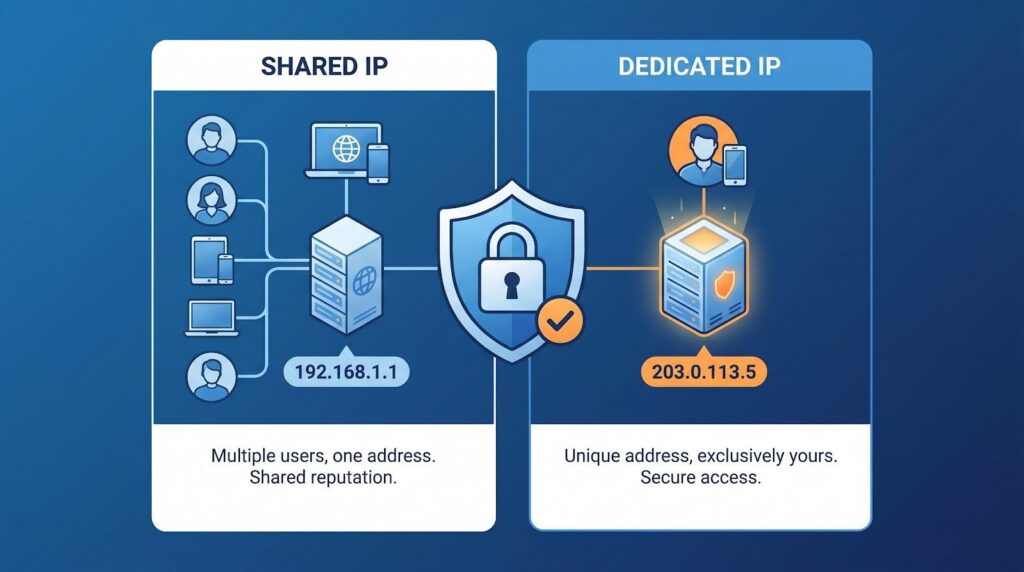
That ease is the point. A marketing lead in Mexico can share the same U.S. IP her New York office whitelists in Salesforce, while a CPA in Bali signs into QuickBooks without fraud alerts. Up to ten devices can use the address at once, so phone, laptop, and home router stay in sync.
Performance equals convenience. Recent WireGuard tests measured ≈ 550 Mbps down / 500 Mbps up, matching the shared fleet. Video calls stay crisp, and cloud uploads finish quickly.
Trade-offs exist. Nord blocks inbound traffic, so hosting a Minecraft server or CCTV feed is not possible. The IP is account-linked rather than tokenised, a privacy compromise some users will note.
If you need a static IP that just works for banking, SaaS dashboards, or streaming, NordVPN delivers. The add-on costs about USD 5.80 a month on a multi-year plan and gives you a fast, familiar, reliable option for remote work.
3. Surfshark – unlimited devices, low price, one fixed address
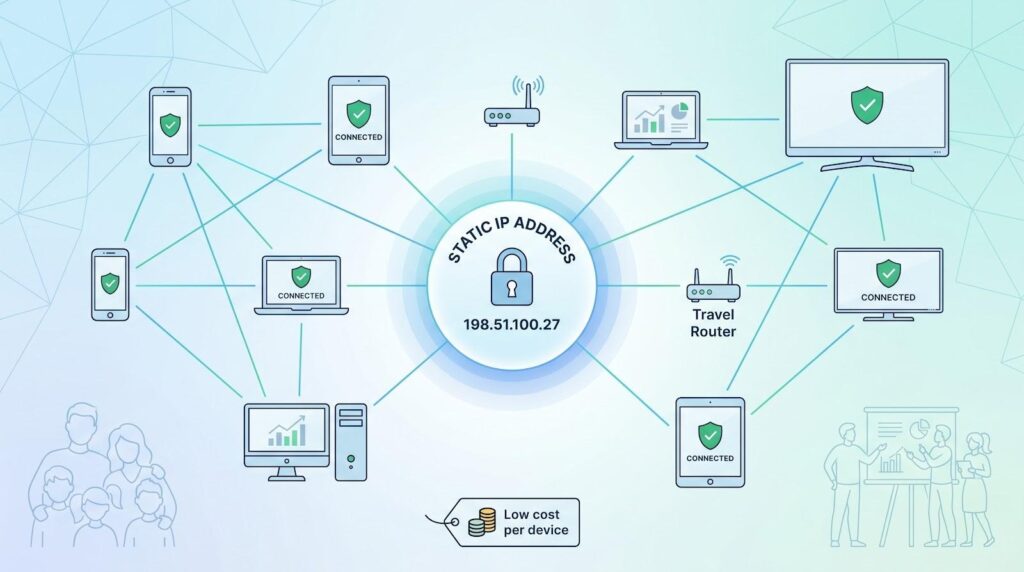
Surfshark’s pitch is simple: one plan, every gadget. The core subscription already covers phones, laptops, smart TVs, and travel routers without a device cap. Add a dedicated-IP voucher and those endpoints share the same public address, ideal for a growing family or bootstrapped start-up.
Setup is quick. Redeem the token in your account dashboard, and a new Dedicated IP tile appears in the app; tap once, and you are online. Surfshark now offers the feature in 20 locations, from the usual U.S. and U.K. to Johannesburg, Milan, and São Paulo.
Performance is solid. Independent WireGuard tests place Surfshark’s dedicated nodes around 430–460 Mbps on a 1 Gbps line, just shy of ExpressVPN’s peak but more than enough for 4K streaming and large cloud syncs. Day-time congestion barely dents throughput, so video calls stay crisp.
Caveats: Surfshark blocks inbound traffic, so you cannot forward ports for self-hosting. Swapping to a fresh IP costs an extra one-time fee. Still, at about USD 6 per month for both the two-year VPN plan and the static-IP add-on, its unlimited-device licence yields the lowest cost per seat in this roundup.
If you manage many devices or a small remote team and want one recognisable IP on a tight budget, Surfshark is an easy yes.
4. Private Internet Access – the cheapest way to own your IP without skimping on privacy
Private Internet Access (PIA) wins fans with open-source apps and a courtroom-tested no-logs policy. Its dedicated-IP add-on keeps that thrifty, privacy-first streak alive: USD 2.50 per month when bundled with PIA’s three-year plan, the lowest price from a major provider.
Why it’s different
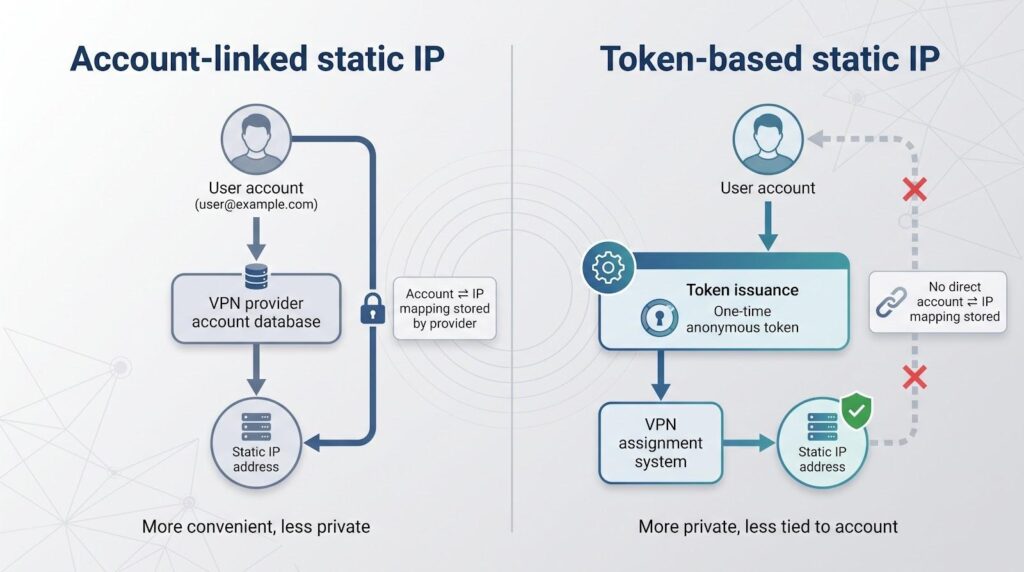
- Anonymous token system – PIA issues a one-time cryptographic token, so even the company can’t link your account email to the new IP.
- Broader location choice – Pick from 20+ cities across ten countries, including Australia, Belgium, Canada, Germany, Japan, Singapore, Sweden, Switzerland, the U.K., and the U.S.
- Port forwarding built in – Enable the toggle and the client assigns a unique port, ideal for seedboxes, self-hosted Git, or Plex. (U.S. dedicated nodes exclude this feature because of past abuse.)
- Mid-tier speeds, low latency – WireGuard on a nearby dedicated node averaged ≈ 250 Mbps down / 40 ms ping in recent tests, plenty for 4K streams and responsive remote desktop sessions.
Trade-offs
PIA’s desktop app surfaces dozens of tweakable settings, so newcomers may feel overwhelmed. If you need a dedicated IP in South America or Africa, you will have to look elsewhere; PIA’s list still tops out at ten countries.
Bottom line: When your budget is tight but you still want a private static IP, PIA delivers token anonymity, open ports, and reliable performance for the price of a fancy latte.
5. PureVPN – static IPs built for teams and niche locales
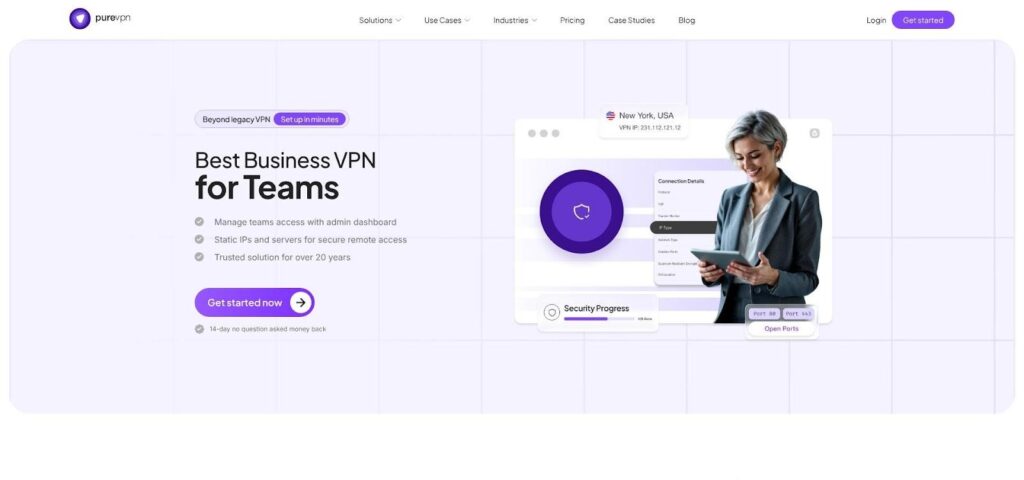
PureVPN Teams dashboard screenshot showing multiple static IP assignments.
PureVPN offered dedicated IPs before most competitors, and that early focus shows in its business-friendly tools. At checkout you can add port forwarding, choose a static IP from 17 personal-plan countries (Malta and the UAE included), or order multiple addresses through a Teams dashboard that assigns each IP to specific staff, printers, or IoT devices. Prices start from USD 7.21 per seat.
What stands out
- Team control without tickets – An admin can buy five IPs, hand London to the architects and Toronto to the render farm, then whitelist both in a staging server.
- Respectable performance – On a 1 Gbps line, WireGuard on a shared server averaged ≈ 320 Mbps down; switching to a dedicated IP over OpenVPN dropped to ≈ 220 Mbps. Support can provide WireGuard configs to regain full speed.
- Verified no-logs – Independent assessments in 2020 and February 2023 confirmed PureVPN keeps no traffic or connection logs.
- Account-linked anonymity – The static IP ties to your account rather than a token. That is fine for most teams, but privacy purists may prefer PIA or ExpressVPN.
Cost snapshot
A personal dedicated IP runs USD 4.45 per month on the two-year plan. Adding port forwarding raises the bundle to about USD 5.50. Teams plans start at USD 7.21 per IP with central billing.
Bottom line: If you need multiple static IPs, optional port forwarding, or an address in an uncommon region, PureVPN delivers flexible pricing and reach at a cost most small offices can absorb.
6. ExpressVPN – premium speed, token privacy, zero-configuration setup
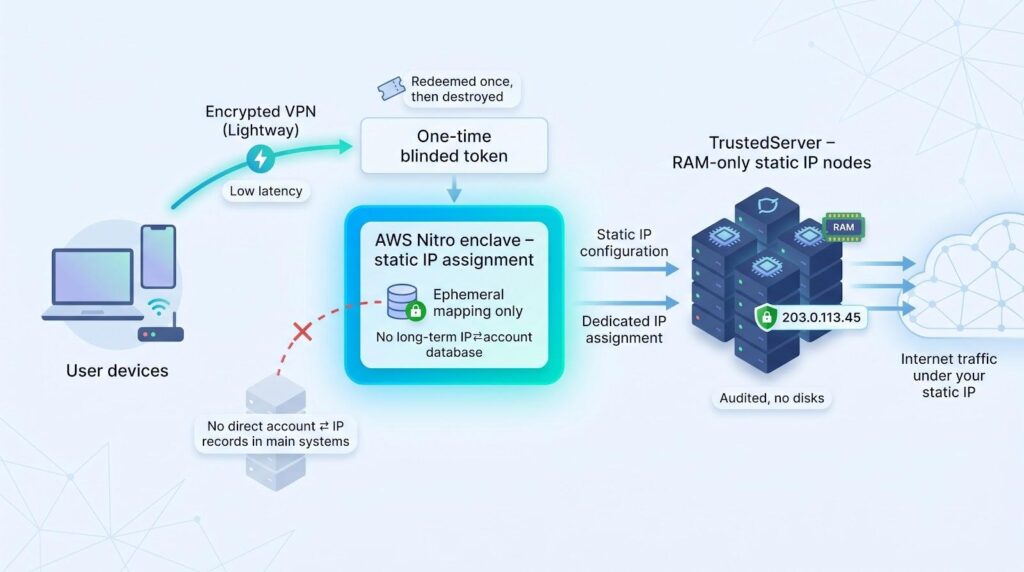
ExpressVPN joined the static-IP field later than most, but it added a twist. Its blinded-token system allocates your address inside an AWS Nitro enclave, so even support staff cannot trace the IP to your account. Buy the add-on, paste the one-time code, and the new location appears in the app on Windows, macOS, iOS, Android, Linux, and Express-flashed routers.
Why pay extra?
- Lightway consistency – Independent 2026 tests showed only a two-percent speed loss on local servers (98 Mbps on a 100 Mbps line) thanks to the in-house Lightway protocol. On gigabit fibre you still have headroom for 4K streaming or 50 GB uploads.
- RAM-only, audited servers – Static-IP nodes run the same TrustedServer platform audited by Cure53 and Praetorian in 2024, so kill switch, split tunnelling, and Threat Manager work exactly as on shared servers.
- Zero-knowledge assignment – After you redeem the token, the mapping disappears from ExpressVPN’s systems, leaving no traditional logs and no manual IP resets.
Limitations
ExpressVPN blocks inbound traffic, so port forwarding is not available. Device slots cap at 14 on current plans, so larger teams need multiple accounts. Pricing varies by tier; the Pro bundle, which includes the dedicated IP, costs USD 7.49 per month on a one-year plan, in addition to the base VPN fee.
Bottom line: Freelancers, traders, and media pros who care more about speed and audited privacy than hosting flexibility will find ExpressVPN’s dedicated IP worth the premium.
