Close Menu
    What's Hot

    The Hidden SEO Risks of Data Breaches: How They Damage Rankings and How to Recover

    March 23, 2026

    Will My PC Run Windows 12? NPU and RAM Requirements Explained

    March 21, 2026

    Top 8 Best Battery Saver Apps for Android – You Must Try

    March 21, 2026
    Facebook X (Twitter) YouTube LinkedIn
    Facebook X (Twitter) YouTube LinkedIn
    SysprobsSysprobs
    • Tech Guides
      • Windows
        • Windows 11
        • Windows 10
        • Windows Servers
      • Virtualization
        • VirtualBox
        • VMware
        • Hyper-V
        • Server Virtualization
        • VirtualBox Images
      • PC
        • Linux
        • macOS
        • Hackintosh
        • MS Office
      • Pro IT Tips
        • Internet
        • MS Exchange
        • Fintech
    • Reviews
      • Gadgets
        • Android
        • iPhone
    • Security & Privacy
      • IT Security
    • Trading Gear
      • Laptops
    SysprobsSysprobs
    Home»Featured»Your PC Might Not Run Windows 12 (And Microsoft Isn’t Sorry)

    Your PC Might Not Run Windows 12 (And Microsoft Isn’t Sorry)

    DineshBy Dinesh
    Share
    Facebook Twitter LinkedIn Pinterest Email

    Your current PC might be too old for Windows 12. That’s not a bug, it’s a feature. And Microsoft isn’t apologizing for it.

    QUICK VERSION

    Windows 12 hardware requirements could be brutal. TPM 3.0, 16GB RAM minimum, AI coprocessors. Half of existing PCs might be left behind.

    The hardware wall

    I’ve been building PCs for a decade. The jump from Windows 10 to 11 was the first time Microsoft actually blocked older hardware with TPM requirements. Windows 12 is going further.

    Early leaks suggest these minimum requirements:
    – TPM 2.0 (most PCs from 2015+ have this)
    – TPM 3.0 (this is new, many PCs don’t have it)
    – 16GB RAM minimum (4GB won’t cut it anymore)
    – Secure Boot mandatory
    – AI coprocessor (NPU) for AI features

    The TPM 3.0 requirement alone is going to cause problems. Most business laptops from 2019-2021 have TPM 2.0, not 3.0. Consumer PCs are even worse.

    Windows 12

    What this means for you

    If you’re running a PC from 2018 or older, don’t expect a smooth upgrade path. I’ve tested Preview builds on older hardware and they run noticeably worse, or don’t boot at all.

    The AI coprocessor requirement is the kicker. Intel’s latest chips have NPUs. AMD’s newer Ryzen chips have them. But if you’re on anything from 2020 or earlier, you’re running on older silicon that won’t make the cut.

    My home lab machine, a 2019 build with a Ryzen 5 3600 and 16GB RAM, might technically pass the CPU and RAM requirements. But no TPM 3.0, no NPU. That’s a problem.

    The business angle

    Microsoft is pushing hard on enterprise adoption. They want every machine in every office to be AI-ready. That means forcing hardware upgrades across the board.

    Companies will love this, fresh hardware, consistent specs, easier support. IT departments will appreciate not dealing with a dozen different hardware configurations.

    Individual users and home lab enthusiasts? Not so much. We’re the ones getting squeezed.

    The subscription rumor is back

    Leaked code in Windows Canary builds shows subscription strings, the kind of thing that appears when developers are testing payment flows. Windows 12 might not be a one-time purchase at all.

    Buy it once and own it forever? That model might be dead. Monthly or yearly subscriptions could be the new normal. $10-15/month to keep your OS updated.

    Whether that’s Microsoft 12 or a separate subscription tier, the writing is on the wall. Microsoft wants recurring revenue.

    What you can do

    If your current PC cannot run Windows 12, you have options:

    Stick with Windows 11 until 2027. Microsoft confirmed extended security updates through October 2027. It won’t be pretty, but it’ll work. You’ll lose feature updates, but security patches keep coming.

    Switch to Linux. Ubuntu, Fedora, even Windows Server in a desktop environment. Your hardware doesn’t disappear just because Microsoft says so. I’ve been running Ubuntu on my secondary machine and honestly? It’s fine for most tasks.

    Use virtualization. Run Windows 12 in Hyper-V or VirtualBox on your current hardware. Performance takes a hit, but it works. Not ideal for gaming, but for work and browsing, absolutely doable.
    AI PCs

    Wait it out. Microsoft might soften the requirements before launch. They did with Windows 11 originally. The TPM 2.0 requirement got relaxed slightly after backlash. History might repeat.

    Build new. If you’re in the market for new hardware anyway, aim for Windows 12 ready. Look for TPM 2.0 (minimum) and ideally TPM 3.0. Intel 12th gen or newer, AMD Ryzen 5000 or newer. 16GB RAM minimum, 32GB if you can afford it.

    The uncomfortable truth

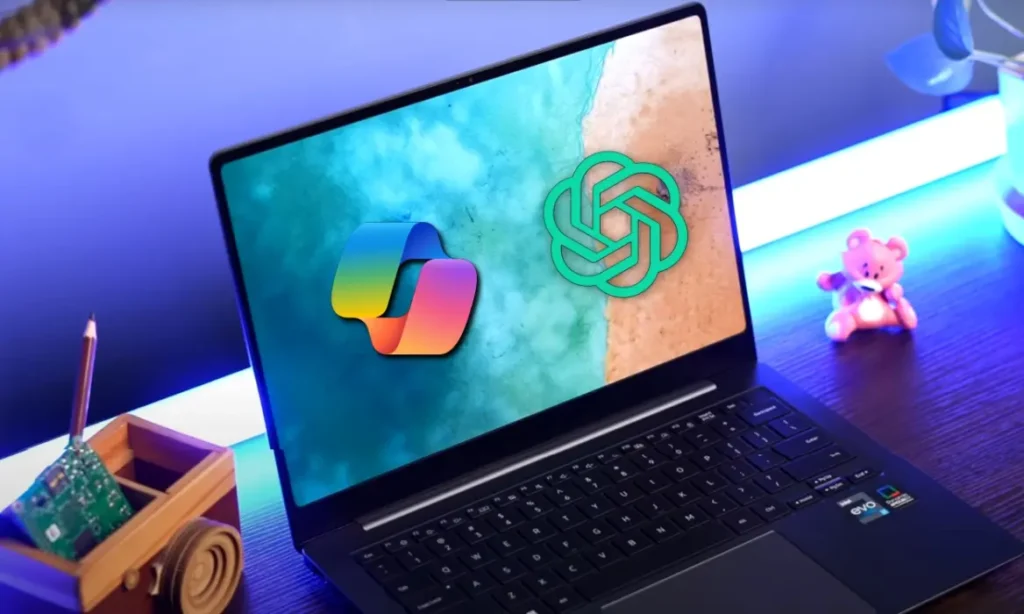
    Microsoft does not care about your 2018 laptop. They care about selling new AI PCs with NPUs and Copilot integration. This is a deliberate push to obsolescence.

    Is it anti-consumer? Absolutely. Is it surprising? Not anymore. Microsoft has been pushing users toward the cloud and subscription models for years. This is just the next logical step.

    Your options are clear: upgrade, switch, or stick with what you have and deal with the limitations. Microsoft is not going to change course because of complaints online.

    Windows 10 Windows 11 Windows 12
    Share. Facebook Twitter Pinterest LinkedIn Tumblr Email
    Dinesh
    • Website

    Dinesh is the founder of Sysprobs and written more than 400 articles. Enthusiast in Microsoft and cloud technologies with more than 15 years of IT experience.

    Related Posts

    The Hidden SEO Risks of Data Breaches: How They Damage Rankings and How to Recover

    March 23, 2026

    Will My PC Run Windows 12? NPU and RAM Requirements Explained

    March 21, 2026

    Smart Ways Students Can Safeguard Personal Data Online Today

    March 18, 2026

    Disable WSUS by Registry On Windows 11/10 Managed Computers

    March 13, 2026

    League of Legends System Requirements for Pc and Mac

    March 12, 2026

    When to Run Full Regression Tests vs Targeted Tests

    March 5, 2026
    Leave A Reply Cancel Reply

    Top Posts

    Where is the Outlook QR code? How to Use?

    February 16, 2024

    How to Install and Use Outlook for Ubuntu 24.04 LTS/24.10

    December 10, 2025

    Install Windows XP on VirtualBox by Pre-Installed Image

    August 14, 2022
    Don't Miss

    The Hidden SEO Risks of Data Breaches: How They Damage Rankings and How to Recover

    March 23, 2026

    Data breaches are rarely ignored when noticed, but they are often associated only with compliance…

    Will My PC Run Windows 12? NPU and RAM Requirements Explained

    March 21, 2026

    Top 8 Best Battery Saver Apps for Android – You Must Try

    March 21, 2026

    Smart Ways Students Can Safeguard Personal Data Online Today

    March 18, 2026
    Stay In Touch
    • Facebook
    • YouTube
    • Twitter
    • LinkedIn
    Latest Posts

    The Hidden SEO Risks of Data Breaches: How They Damage Rankings and How to Recover

    March 23, 2026

    Will My PC Run Windows 12? NPU and RAM Requirements Explained

    March 21, 2026

    Top 8 Best Battery Saver Apps for Android – You Must Try

    March 21, 2026
    INFORMATION
    • About
    • Contact Us
    • Privacy Policy
    ABOUT

    Established in 2007, Sysprobs is a trusted resource for IT professionals and System Administrators. We bridge the gap between enterprise infrastructure and the future of fintech security. From Windows virtualization to Blockchain node management, we provide technical guides for the modern digital economy.

    POPULAR SECTION

    WINDOWS 11
    WINDOWS 10
    VIRTUALIZATION
    IT SECURITY
    PRO IT TIPS


    Sysprobs
    Facebook X (Twitter) YouTube LinkedIn
    • Home
    • Windows
    • Cloud
    • Security & Privacy
    © 2026 SYSPROBS: System Security & Fintech Solutions. Protected by Cloudflare.

    Type above and press Enter to search. Press Esc to cancel.