


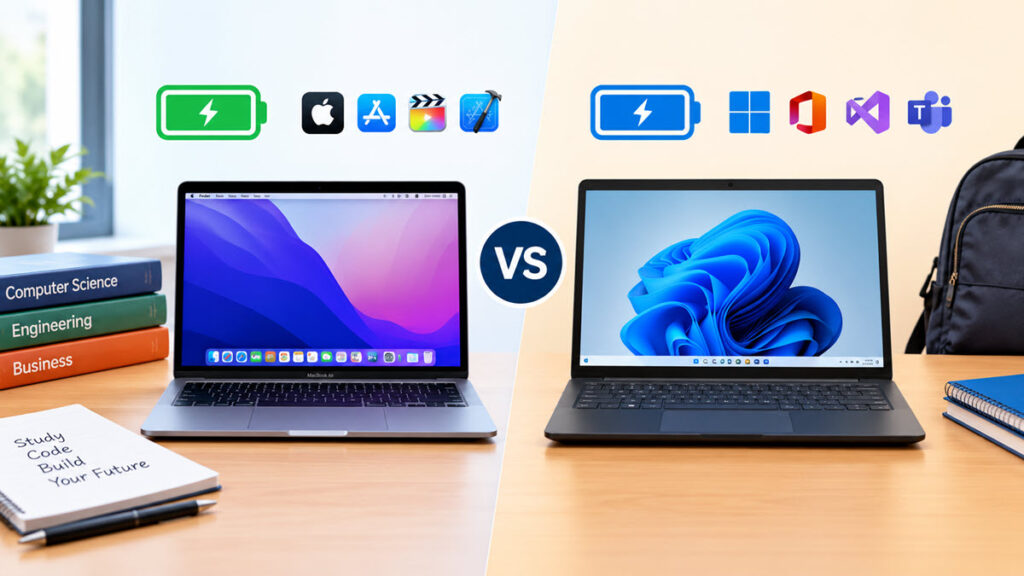
The debate over MacBook vs Windows for college depends entirely on your specific major and your daily computing needs. A computer science student requires a completely different device than an English major. When deciding between a Mac or Windows for college, you do not want to spend a fortune only to discover your laptop cannot run your required software.
College life is demanding, and balancing coursework with a social life gets overwhelming quickly. When you decide to pay for homework on EssayService to survive your midterms, having a reliable laptop ensures you can easily download and review your completed papers. Even when you tackle every assignment yourself, a capable device lets you effortlessly multitask between heavy research tabs and demanding academic programs.
Before diving into specific hardware features, it helps to understand the baseline differences between the two operating systems.
Operating system market share and lifespan comparison
| Metric | Apple macOS | Microsoft Windows |
| Average device lifespan | 5 to 7 years | 3 to 5 years |
| Built-in voice assistant | Siri | Copilot |
| Primary processor architecture | ARM-based | x86 and ARM |
| Default cloud storage | iCloud | OneDrive |
Source note: Lifespan estimates are based on general tech industry hardware averages.
Why a MacBook might be your best choice
If you are asking yourself, should I get a MacBook for college, Apple’s M-series chips offer unbeatable battery efficiency. You can leave your bulky charger in your dorm room and still take notes through four back-to-back lectures. The M4 MacBook Air currently delivers between 15 and 18 hours of real-world battery life.
Many incoming freshmen wonder, is a MacBook good for college? Apple laptops are famous for their premium build quality, and a MacBook will easily survive a typical four-year degree without slowing down.
They also integrate perfectly with your iPhone, making it simple to copy text on your phone and paste it directly onto your laptop.
However, MacBooks come with a significant upfront cost that might not fit a tight student budget. The cheapest new MacBook Air starts around $999, which is quite an investment. They are also incredibly difficult to repair, meaning a spilled cup of coffee could result in an expensive repair bill.
There are several strong reasons to choose an Apple laptop:
- You use an iPhone and love the seamless Apple ecosystem.
- You need maximum battery life for long days on campus.
- Your major involves heavy video editing or music production.
- You want a laptop with a high resale value after graduation.
Why a Windows laptop might be your best choice
When considering a MacBook vs laptop, Windows computers offer unmatched hardware variety, allowing you to find a device that fits your exact budget. You can buy a basic, functional Windows laptop for around $500, making it a great option if money is tight. If you have more to spend, you can buy a powerful rig with a high-end graphics card that’s perfect not just for studying but also for gaming.
In the ultimate battle of a MacBook vs laptop for college, the biggest advantage of a Windows laptop is its nearly universal software compatibility. Almost every piece of enterprise and academic software is built specifically for the Windows operating system. Besides, if you want to play modern video games in your free time, a Windows laptop is absolutely mandatory since the vast majority of popular PC titles are not natively supported on macOS.
Battery life used to be a major weakness for Windows laptops, but things are rapidly improving. For instance, the 2026 HP OmniBook 3 recently hit a record-breaking 40 hours in video rundown tests. While affordable models hover around 8 to 12 hours, premium Windows laptops are finally catching up.
Consider buying a Windows laptop if any of these apply to you:
- You are on a strict budget and need to spend under $800.
- You are an avid gamer who wants to play the latest AAA titles.
- Your coursework requires specific engineering or accounting programs.
Which one is best for your specific major?
Your major should be the ultimate deciding factor when settling the Mac vs Windows for college debate. Liberal arts and journalism students usually have the freedom to pick whichever operating system they prefer. Most of your work will involve web browsers and word processors that run perfectly on both platforms.
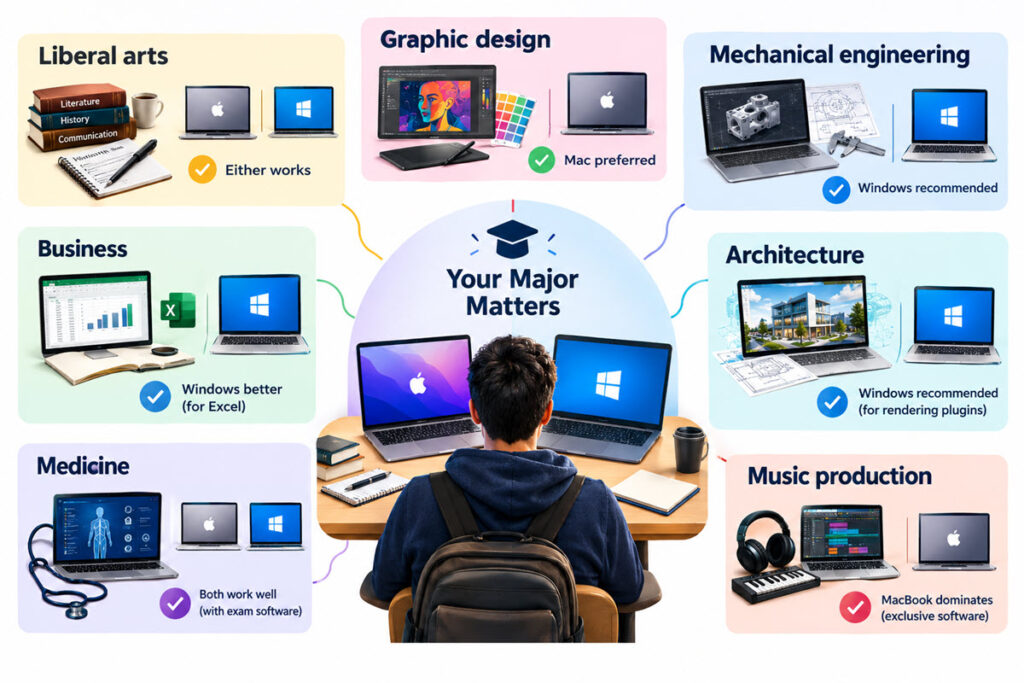
Engineering and computer science students face stricter hardware requirements. Many essential design programs and coding environments run best, or exclusively, on Windows. Buying a Mac for an engineering degree might force you to spend extra time setting up a virtual workstation.
If you are still unsure whether you need a Mac or PC for college, simply check your department’s website or email your academic advisor before purchasing. They usually provide a public list of the exact software you need to run.
Here is a quick breakdown of which laptop tends to suit different fields of study:
- Liberal arts: Either platform works perfectly.
- Graphic design: MacBooks are preferred due to their color-accurate screens.
- Mechanical engineering: Windows is recommended to run specialized CAD software.
- Business: Windows is usually better for utilizing advanced Excel functions.
- Architecture: Windows is highly recommended to run essential rendering plugins like Lumion without compatibility issues.
- Medicine: Both platforms work well as long as they support electronic exam software.
- Music production: MacBooks dominate because of exclusive software.
The final verdict on college laptops
Both platforms offer fantastic hardware, but your budget and coursework must dictate your final choice. When choosing a MacBook or Windows for college, the MacBook Air provides the best combination of battery life, portability, and longevity. It is a reliable workhorse that will not let you down.
If you are a hardcore gamer, an engineering student, or someone on a strict budget, Windows is the clear winner. You get maximum software compatibility and the freedom to choose from dozens of brands. Just double-check the battery life specifications before buying, and pick the laptop that makes your academic life easier.
Frequently asked questions
Are MacBooks good for college if I am on a strict budget?
While they are incredibly reliable, MacBooks carry a high upfront cost that may not suit every student. If you have less than $800 to spend, a Windows laptop will provide much better hardware value for your money.
Does my major actually dictate whether I buy Windows or Mac for college?
Yes, your major is the most important factor in your purchase. Engineering and business students often need Windows for specific software, while graphic design and film students generally prefer macOS.
Is a Chromebook a good alternative to a MacBook or Windows device?
Chromebooks are fantastic for typing essays and browsing the web on a budget. However, they cannot run full desktop applications, making them unsuitable for most STEM and design degrees.
How much memory is recommended for a MacBook vs Windows laptop for students?
You should aim for at least 16GB of RAM regardless of the operating system. This ensures your computer remains fast and responsive when juggling multiple browser tabs and background applications.
