


In today’s world, the internet has become an integral part of our life because it is used by us for communication, working, entertainment, shopping, studying, and controlling our home appliances. The more devices that are connected to the internet in our home environment, the more security risks we have. Simple steps like using strong passwords, updating the software regularly, and detecting any suspicious activities can improve our home internet security.
Use Strong Passwords
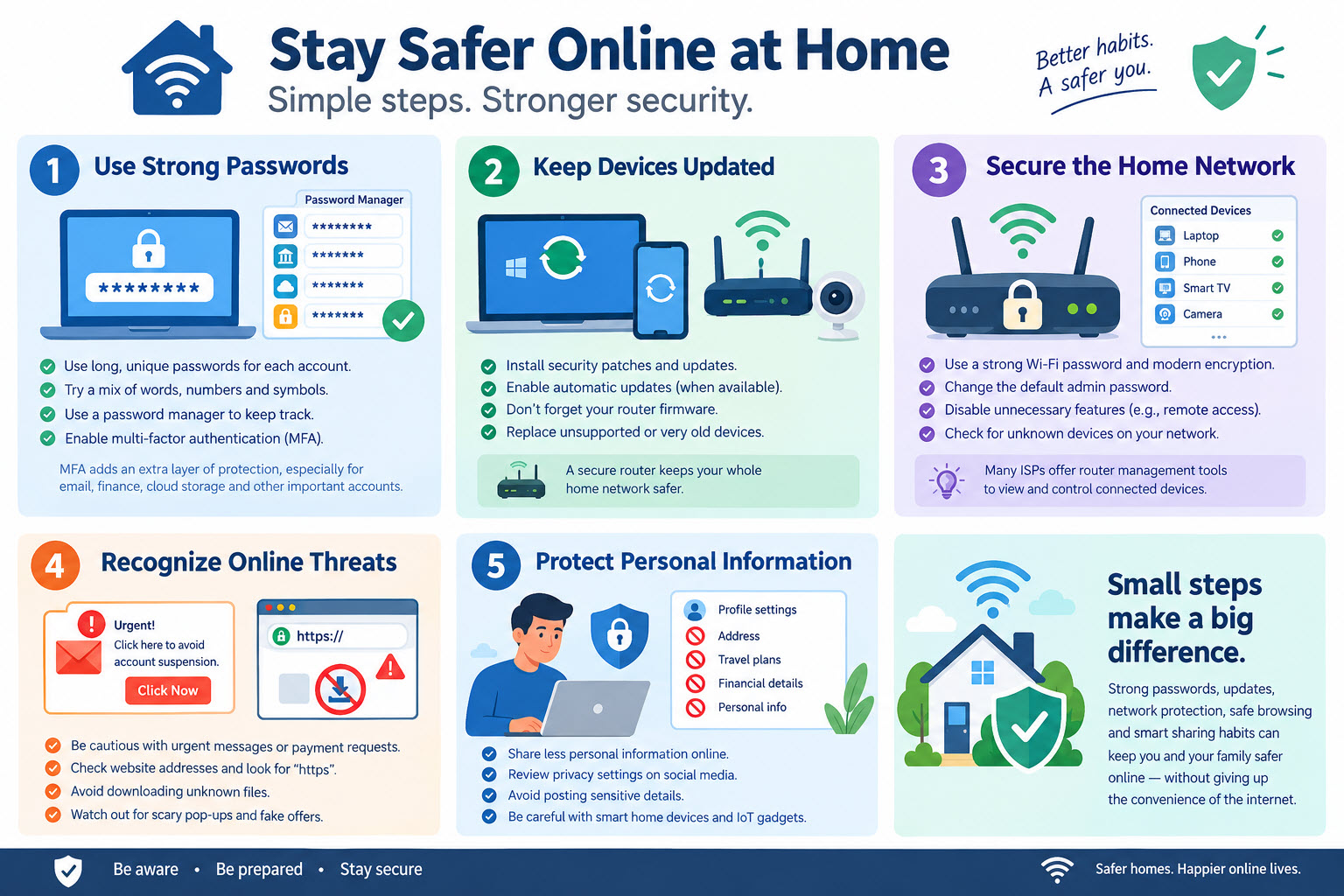
Strong passwords that cannot be easily guessed and never used for more than one account are critical elements of online security. Using combinations of words, numbers, and symbols can enhance the quality of your password, and a password manager will assist users in creating different passwords for each account they use. In this case, there is little danger even if one account gets hacked.
The multi-factor authentication feature is another way to protect the user’s account from any breach. If it is enabled, signing into an account requires an extra authentication step besides just entering the password. The multi-factor authentication should be activated wherever possible, especially for email, finance, cloud storage, and other important accounts.
Keep Devices Updated
Software patches frequently contain security updates which fix any vulnerability found either by developers or security experts. Devices like computers, smartphones, routers, smart TVs, cameras, and others can fall victim when such vulnerabilities are still not fixed. Automatic updating will be helpful if it is possible to set up for certain software and can avoid forgetting about any security updates.
The importance of keeping the router firmware updated cannot be overstated since this device controls the majority of home internet traffic. It is advisable to periodically check the presence of updates and change old equipment in case of its unsupported status. Selecting equipment that will have support for a long period will be reasonable.
Secure the Home Network
Instead of default configuration that can be easy to crack, a secure wireless network requires a complex password and strong encryption. It is essential for home users to update their default administrator password and review settings of their router from time to time. The disabling of unnecessary functions like remote administration will also protect the user from any unauthorized access.
It is important to check what kind of devices are using the network. There could be unknown phones, computers, cameras, and smart devices which could mean unauthorized access. There are some internet providers that provide their clients with router management systems to see the list of devices that are using the network and to make necessary adjustments.
Recognize Online Threats
Phishing is one of the most commonly used methods by which criminals can get passwords, financial information or other sensitive details. A suspicious message could be in urgent need of reply, ask for payment on the spot or ask you to visit an unfamiliar site. It would be prudent to check whether the message is expected and confirm any significant requests from another safe method.
Another area where one needs to be careful is the websites. They could be requesting your financial or personal details. Checking the web address, refraining from downloading any file without knowing about it and being wary of pop-up advertisements making frightening claims are all precautions that must be taken.
Protect Personal Information
Lessening the amount of personal information shared online means limiting the chances for cybercriminals to abuse it. Users should assess the privacy settings of their social media accounts and refrain from posting sensitive information such as addresses, itinerary, accounts, and any other personal information which might help impersonators.
The same level of precaution should apply when it comes to home devices which can capture personal information. Internet-capable speakers, cameras, home assistants, and other internet-of-things gadgets are capable of collecting and transmitting personal data.
Internet safety does not need to be technically complex. Simple things such as strong passwords, multi-factor authentication, system updating, network protection, safe surfing, and selective information sharing can offer considerable safety to most people at home. By incorporating safety into the daily usage of internet technology, individuals at home can stay safe without losing access to internet convenience.
