Close Menu
    What's Hot

    Secure Boot Certificate 2023 Check (Windows 11 and 10)

    October 20, 2026

    How to Create E-commerce Product Videos with Nano Banana 2.1 and Kling 4.0

    October 20, 2026

    [Fixed] Windows Update Stuck at 0% on Server 2016/2019/2022/2025

    October 19, 2026
    Facebook X (Twitter) YouTube LinkedIn
    Facebook X (Twitter) YouTube LinkedIn
    SysprobsSysprobs
    • Tech Guides
      • Windows
        • Windows 11
        • Windows 10
        • Windows Servers
      • Virtualization
        • VirtualBox
        • VMware
        • Hyper-V
        • Server Virtualization
        • VirtualBox Images
      • PC
        • Linux
        • macOS
        • Hackintosh
        • MS Office
      • Pro IT Tips
        • Internet
        • MS Exchange
        • Fintech
    • Reviews
      • Gadgets
        • Android
        • iPhone
    • Security & Privacy
      • IT Security
    • Laptops
    SysprobsSysprobs
    Home»AI»How to Create E-commerce Product Videos with Nano Banana 2.1 and Kling 4.0

    How to Create E-commerce Product Videos with Nano Banana 2.1 and Kling 4.0

    Amy BrosBy Amy Bros
    Share
    Facebook Twitter LinkedIn Pinterest Email

    Product videos help online shoppers see an item’s appearance, details, and practical uses. Instead of arranging a new product shoot for every campaign, sellers can use Nano Banana 2.1 and Kling 4.0 on Pollo AI to create videos from generated images.
    Pollo AI

    The process has two main stages: generate a product image with Nano Banana 2.1, then animate it with Kling 4.0. The resulting clips can be used on product pages, in social media posts, or in advertising campaigns.

    Step 1: Generate a Product Image with Nano Banana 2.1

    Open the Nano Banana 2.1 on Pollo AI and select the model. It supports text-to-image and image-to-image generation, so sellers can create a new product scene from a prompt or use an existing photo as a reference.
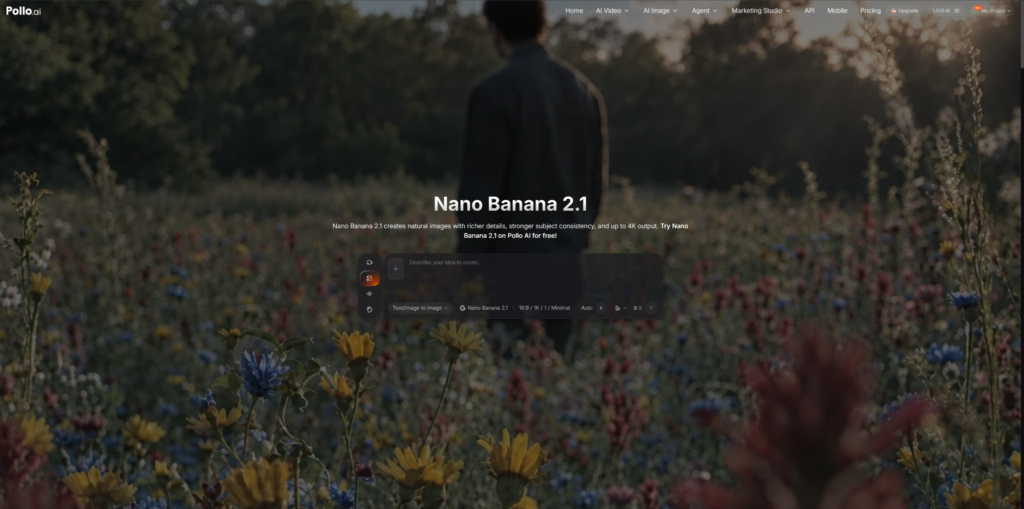
    Nano Banana 2.1

    Write a Prompt or Upload a Reference

    Describe the product, background, lighting, and camera angle. For example:

    “Create a realistic product photo of a matte white ceramic coffee mug on a light oak table. Use soft morning sunlight and a neutral beige background. Keep the mug centered, with its handle and surface clearly visible.”

    For existing products, upload a reference photo to help preserve the original design, color, and packaging. Review the generated image before proceeding. If important details are incorrect, revise the prompt or generate another version.

    Step 2: Animate the Image with Kling 4.0
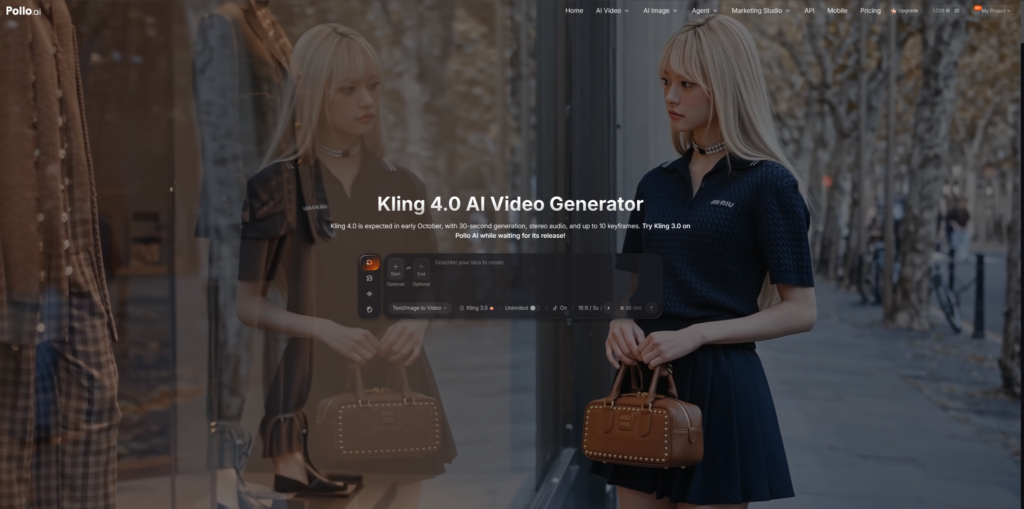
    Image with Kling 4.0

    Once the image is ready, open Kling 4.0 on Pollo AI and select the image-to-video workflow. Upload the image generated in the previous step.

    Describe the Camera Movement

    The image already establishes the product’s appearance, so the prompt should focus on movement rather than describing the entire scene again.

    Click Generate and preview the result. Check for changes to the product’s shape, logo, or packaging. If the movement looks unnatural, simplify the prompt and generate another version.

    Step 3: Adapt the Video to the Product

    Different products need different shots. The goal is to highlight the details shoppers care about without making the video unnecessarily complicated.

    Choose Suitable Visuals

    • Beauty products: Use close-ups to show packaging and surface details.
    • Clothing and accessories: Keep colors, patterns, and shapes consistent with the actual item.
    • Home products: Show the item in a realistic setting that reflects its intended use.

    Start with a clear product image and choose camera movements that suit the item. Avoid excessive motion that distracts from the product or makes its details difficult to see.

    Step 4: Edit and Check the Final Video

    Before publishing, adjust the clip to suit its intended placement. Product pages may favor a clear view of the item, while social media advertisements may require a vertical format.

    Prepare the Clip for Publication

    Check the target platform’s requirements for aspect ratio, duration, resolution, and file format. Add prices, product names, captions, and calls to action in a video editor so that commercial information remains accurate and easy to read.

    Finally, compare the video with the actual product. Correct any changes to logos, colors, packaging, or other important details, and verify that all product claims are accurate.

    Tips for Better Product Videos

    AI-generated videos may take a few attempts to get right. Before generating, decide what you want the clip to emphasize, such as the product’s texture, its use in everyday life, or a close-up of a key feature.

    Keep prompts specific about the intended movement. For example: “Slowly push the camera toward the coffee mug, then move slightly to the right to reveal its handle. Keep the mug’s shape, color, and logo unchanged. Use smooth, natural motion.”

    A clear direction makes it easier to evaluate each result and adjust the prompt without changing too many elements at once.

    Conclusion

    Nano Banana 2.1 and Kling 4.0 on Pollo AI offer a practical way to turn product images into videos for online stores and social media. Start with a clear image, use simple movements, and check the final clip against the actual product.

    If you want to create product videos without arranging a new shoot for every idea, try this workflow on Pollo AI and see which results work best for your products.

    AI Free Tips
    Share. Facebook Twitter Pinterest LinkedIn Tumblr Email
    Amy Bros
    • Website

    Amy Bros | Senior Technical Writer Maya is a former systems architect turned digital storyteller. With 12 years of experience in the trenches of IT, she specializes in breaking down complex cloud infrastructure and troubleshooting the "un-fixable." When she isn't writing, she’s likely optimizing her home automation or hunting for the perfect espresso.

    Related Posts

    Secure Boot Certificate 2023 Check (Windows 11 and 10)

    October 20, 2026

    [Fixed] Windows Update Stuck at 0% on Server 2016/2019/2022/2025

    October 19, 2026

    Microsoft Graph PowerShell Tutorial: Install, Connect and Do Real M365 Admin Tasks

    October 15, 2026

    MacBook vs Windows for College: 2026 Battery and Software Guide

    October 15, 2026

    [Solved] Router Login Page 192.168.1.1 Not Working

    October 14, 2026

    Questions to Ask Before Choosing a Native Advertising Network

    October 13, 2026
    Leave A Reply Cancel Reply

    Top Posts

    Where is the Outlook QR code? How to Use?

    February 16, 2024

    How to Install and Use Outlook for Ubuntu 24.04 LTS/24.10

    December 10, 2025

    Download and Use Windows 7 Pre-Installed VirtualBox Image

    May 3, 2022
    Don't Miss

    Secure Boot Certificate 2023 Check (Windows 11 and 10)

    October 20, 2026

    The Microsoft Windows Production PCA 2011 certificate, the one that signs the Windows boot loader,…

    How to Create E-commerce Product Videos with Nano Banana 2.1 and Kling 4.0

    October 20, 2026

    [Fixed] Windows Update Stuck at 0% on Server 2016/2019/2022/2025

    October 19, 2026

    Microsoft Graph PowerShell Tutorial: Install, Connect and Do Real M365 Admin Tasks

    October 15, 2026
    Stay In Touch
    • Facebook
    • YouTube
    • Twitter
    • LinkedIn
    Latest Posts

    Secure Boot Certificate 2023 Check (Windows 11 and 10)

    October 20, 2026

    How to Create E-commerce Product Videos with Nano Banana 2.1 and Kling 4.0

    October 20, 2026

    [Fixed] Windows Update Stuck at 0% on Server 2016/2019/2022/2025

    October 19, 2026
    300x250 001 English PCRepairKit Yakusheva
    UP NEXT FOR YOU
    • Secure Boot CheckSecure Boot Certificate 2023 Check (Windows 11 and 10)
    • Downloading Update Stuck[Fixed] Windows Update Stuck at 0% on Server 2016/2019/2022/2025
    • Microsoft Graph Powershell WorkspaceMicrosoft Graph PowerShell Tutorial: Install, Connect and Do Real M365 Admin Tasks

    INFORMATION
    • About
    • Contact Us
    • Privacy Policy
    ABOUT

    Established in 2007, Sysprobs is a trusted resource for IT professionals and system administrators. We publish practical, battle-tested guides for the people who run Microsoft infrastructure — Windows, Windows Server, Active Directory, Entra ID, Intune, Exchange, and virtualization. Real fixes for real production problems, written by people who've actually hit them.

    POPULAR SECTION

    WINDOWS 11
    WINDOWS 10
    VIRTUALIZATION
    IT SECURITY
    PRO IT TIPS


    Information
    • About
    • Contact Us
    • Homepage
    • Privacy Policy
    Sysprobs
    Facebook X (Twitter) YouTube LinkedIn
    • Home
    • Windows
    • Cloud
    • Security & Privacy
    © 2026 SYSPROBS: System Security & Fintech Solutions. Protected by Cloudflare.

    Type above and press Enter to search. Press Esc to cancel.