


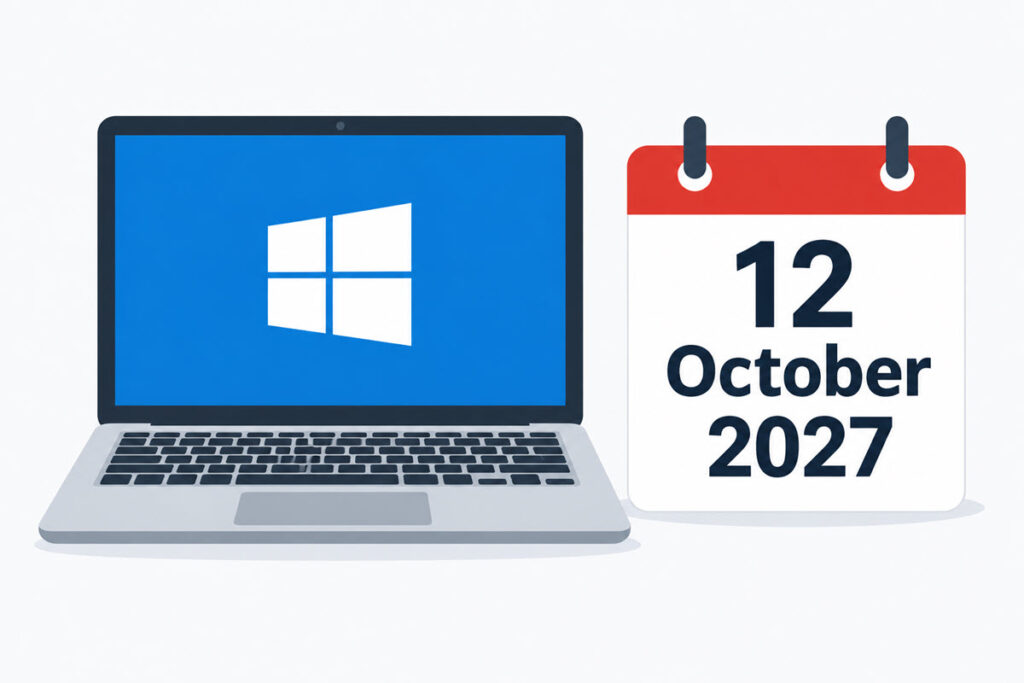
Microsoft has given Windows 10 home users one more year of free security updates. The Windows 10 ESU (Extended Security Updates) program for personal PCs is now extended to 12 October 2027, not 13 October 2026. There was no big announcement. Microsoft changed its documentation and added a note to a blog post, so it is easy to have missed it. The old cut-off is less than two weeks away.
In this guide, I’ll show what changed, what to do for your PC, and what ESU still does not cover.
Windows 10 ESU for personal PCs now runs to 12 October 2027. If you are already enrolled, do nothing: coverage carries over. If not, you can still enroll until that date, free with Windows Backup, with 1,000 Microsoft Rewards points, or for $30 one time. It covers security fixes only, not support or new features.
Windows 10 ESU Extended: What Microsoft Changed
The consumer ESU program was meant to stop on 13 October 2026. Microsoft moved it by a year after updating its ESU page and adding an editor’s note to the Windows Experience Blog around 25 June. Emails to Windows 10 users followed in July, and some mail apps filtered them as spam. If you never saw the news, that could be why.
The rules did not change. Same ways to enroll, same eligibility, same security-only updates. Only the end date moved.
| Option | What you need | Cost |
|---|---|---|
| Sync PC settings | Windows Backup turned on with your Microsoft account | Free |
| Microsoft Rewards | 1,000 points | Free (points) |
| One-time purchase | Microsoft account | $30 USD plus tax |
All options give the same coverage. One ESU license covers up to 10 devices on the same Microsoft account. Once one user enrolls, everyone who signs in to that PC is covered.
Which Case Are You In?
1) You Are Already Enrolled
Nothing to do. Microsoft says enrolled PCs stay covered to the new date automatically. No re-enrollment, no new payment. Keep the PC on Windows 10 version 22H2, install the monthly updates, and keep access to the Microsoft account you enrolled with.
To confirm, open Settings > Update & Security > Windows Update. An enrolled PC shows a message saying it is enrolled in Extended Security Updates.
2) You Have Not Enrolled Yet
Do it now. You have until 12 October 2027, but a PC that is not enrolled gets no security fixes from Microsoft. Windows 10 support itself ended on 14 October 2025, so each month you wait is a month without patches.
- Check the version. Press Win+R, type
winverand confirm it says version 22H2. - Install every pending update in Windows Update. The ESU preparation package (KB5072653) arrives this way. It needs the October 2025 update (KB5066791) or a later one first.
- Go to Settings > Update & Security > Windows Update and select Enroll now.
- Sign in with the administrator Microsoft account and pick one of the options from the table.
If Enroll now is missing, check the list in the next case first. It is not the only reason a PC misses the button, but it is the first thing to rule out.
3) Your PC Cannot Enroll
Consumer ESU is for personal devices. Microsoft excludes PCs that are:
- joined to Active Directory or Entra ID, or managed by an MDM (mobile device management) tool
- running in kiosk mode
- signed in with a child account instead of an administrator Microsoft account
A personal PC that is only registered with a work account in Entra ID (not joined) still qualifies. For joined and managed PCs, the route is the paid business ESU program. It is separate and already runs into 2028. Your admin decides that one, not you.
What ESU Does Not Cover
ESU delivers critical and important security updates through Windows Update. That is all. No new features, no other bug fixes, and no technical support from Microsoft.
Microsoft 365 Apps are the part people get wrong. The extra year for Windows does not change the Office side. Under Microsoft’s own schedule, Microsoft 365 Apps on Windows 10 get feature updates and Copilot only until Version 2608. After that they stay on 2608 with security updates until 10 October 2028.
Support is limited too. If a problem shows up only on Windows 10, Microsoft will ask you to move to Windows 11. You get troubleshooting help, and no bug is logged.
Microsoft Edge and the WebView2 Runtime keep getting updates on Windows 10 22H2 until at least October 2028, according to the Edge lifecycle page. Other vendors set their own dates. Check the apps you depend on, security software and drivers especially.
How I Would Use the Extra Year
I would treat 12 October 2027 as final. Microsoft has moved the date once. Nothing in its documentation promises a second extension, and planning around another rescue is a bad bet.
Use the time in this order:
- Enroll every Windows 10 PC you still use. One license covers 10 devices, so the old laptop in the drawer counts too.
- Find out which PCs can run Windows 11. The hard limits are TPM 2.0 and UEFI Secure Boot, plus a supported CPU. Enrolling in ESU does not stop you from upgrading later. Windows 11 compatibility check post]
- Back up before you touch anything. A full image is the safest, see how to take a full backup of Windows to an external hard drive. If you only need single files back, restore them from a system image.
- Decide about the PCs that fail the check. Replace them, or give them a job that does not need a patched Windows, such as an offline machine or a Linux install.
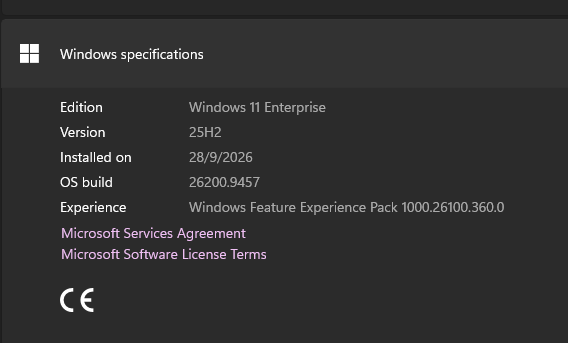
Personally, I don’t think I will take this because I’ve already moved to Windows 11 latest version. But this is really a great gift for our organization. We will be using this opportunity to secure the rest of the Windows 10 PCs and upgrade them to Windows 11 in the coming 12 months.
Set a reminder for about three months before the deadline. Deciding about each PC in July is calmer than deciding in the last week.
FAQ
Is Windows 10 ESU still free?
For most people, yes. Enroll free by syncing PC settings with Windows Backup, or redeem 1,000 Microsoft Rewards points. The other option is a $30 one-time payment. Microsoft notes that options and timing can differ in the European Economic Area, so check its ESU page if you live there.
Can I still enroll after 13 October 2026?
Yes. Enrollment stays open until 12 October 2027. Your PC gets no patches until you do, so there is no reason to wait.
Do I need to enroll again to get the extra year?
No. PCs that are already enrolled carry over automatically.
Does the ESU extension also extend Microsoft 365 support on Windows 10?
No. Microsoft 365 Apps follow their own schedule: security updates until 10 October 2028, with feature updates stopping at Version 2608.
