


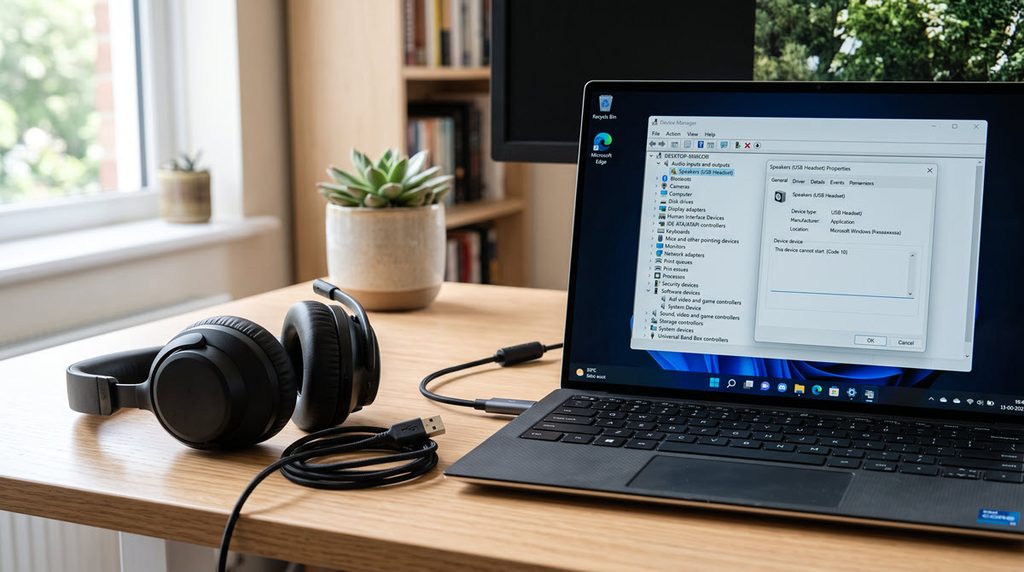
If your USB headset, DAC or speakerphone went silent after the 8 September update and Device Manager shows “This device cannot start (Code 10)”, this is a known Microsoft bug. The USB audio Code 10 problem on Windows 11 is still open as I write this (3 November). In this guide, I’ll show how to get sound back today, in the order of least risk.
Short answer: The 8 September update (KB5124008 on Windows 11, KB5122878 on Windows 10) breaks some USB Audio Class 1.0 headsets and DACs with Code 10 or no sound. The 14 September update fixed only multichannel mode. Until Microsoft ships the full fix, switch the device to 2-channel stereo, use another output, or uninstall the update and pause updates.
Status Right Now (Checked 3 November)
Microsoft can change this status at any time, so check the date above and the release health page for your version.
- Microsoft’s status: Mitigated, not resolved. Opened 25 September, last updated 29 September on the Windows 11 release health page.
- Fixed: the failure in 8-channel and 3D audio modes. That came with the out-of-band update on 14 September and everything after it.
- Still open: Code 10, no audio output, volume stuck at zero, and Sound settings that do not respond.
- October updates: KB5127648 (13 October) and the preview KB5127936 (28 October) both still list this as a known issue, with no fix yet.
- Known Issue Rollback: none is offered for this one.
- Affected versions: Windows 11 24H2, 25H2 and 26H2, plus Windows 10 22H2 (ESU, see its release health page), several LTSC releases and Windows Server 2012 to 2025.
| OS | September update that caused it | Out-of-band update that partly fixed it |
|---|---|---|
| Windows 11 24H2/25H2 | KB5124008 | KB5129195 |
| Windows 10 22H2 | KB5122878 | KB5129236 |
| Windows Server | The September cumulative update for your version | Check the release health page for your version |
Microsoft limits the bug to USB Audio Class 1.0 devices. Class 2.0 devices are not in scope. So a USB headset not working after a Windows update, or a USB DAC with no sound on Windows 11, is only this bug if the device is Class 1.0 (the next section shows how to check). Reports in the wild name gaming headsets, USB-C to 3.5 mm dongles, conference speakerphones, desk microphones and audio interfaces.
Is It the Windows 11 USB Audio Code 10 Bug or a Normal One?
It is probably this bug if all of these are true: the device is a USB one (not Bluetooth, not onboard Realtek or HDMI audio), it worked before 8 September, and it stopped right after the update.
Now confirm the device is on the USB Audio 1.0 class driver:
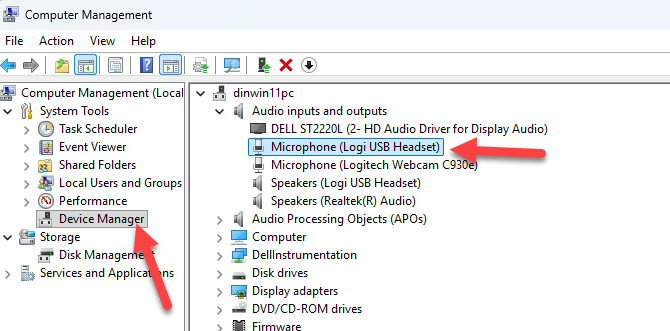
- Open Device Manager, find the device (under ‘Sound, video and game controllers’ or ‘Audio inputs and outputs’), right-click it and open Properties.
- On the Driver tab, click Driver Details. If you see
usbaudio.sys, it is the USB Audio 1.0 driver and the bug applies. If you seeusbaudio2.sys, it is the 2.0 driver, which is outside Microsoft’s list. - On the Details tab, pick ‘Compatible Ids’. An ID ending in
Prot_20(for exampleUSB\Class_01&SubClass_01&Prot_20) means a Class 2.0 device.
If the device uses a vendor driver, the Microsoft class driver is not in play and this bug probably does not apply. Check with the vendor. If your Code 10 started long before September, the older This Device Cannot Start (Code 10) fix is the better read.
1) Install the Latest Windows Update
Go to Settings > Windows Update and click ‘Check for updates’. You want KB5129195 or anything newer, and you can confirm your build with winver.
Be clear about what this gives you. Microsoft says the out-of-band update fixed the 8-channel and 3D audio failure. A device with Code 10 in plain stereo is still broken after it. If the update does not install, the Windows Update error 0x8024a105 guide may help.
2) Switch the Device to 2-Channel Stereo
This is Microsoft’s own workaround for the multichannel symptom, so it only helps if your device still shows up and just fails in 7.1 or 3D modes. Some headsets have a hardware switch for it. One HyperX Cloud Orbit S owner on Microsoft Q&A got sound back by holding the mic wheel for 2 seconds to drop to 2-channel mode.
Otherwise, use the vendor’s app or the speaker configuration in Sound settings and set stereo. You lose surround, but you get audio.
3) Use Another Output for Now
Plug the headset’s 3.5 mm cable into the PC, use the onboard audio, or use a Bluetooth headset if you have one. Microsoft does not list Bluetooth as affected or unaffected. It simply goes through a different driver path and sits outside the scope Microsoft describes.
This is the least risky way to keep working while you wait.
4) Uninstall the Update and Pause Updates
This works for some people, but it also removes the September security fixes, so I would do it only if the first three options do not fit your device. Microsoft warns about this on its uninstall page, and says some updates cannot be uninstalled.
Windows 11: Start > Settings > Windows Update > Update history > ‘Uninstall updates’ (under Related settings), pick the update and click Uninstall.
Windows 10: Start > Settings > Update & Security > Windows Update > View your update history > ‘Uninstall updates’, pick the update and click Uninstall.
If Windows will not boot normally: in Windows RE, go to Troubleshoot > Advanced options > Uninstall Updates > ‘Uninstall latest quality update’.
On Microsoft Q&A, a Lexicon Alpha Studio owner with Code 10 on 24H2/25H2 got an accepted answer to uninstall KB5124008 and pause updates. The same person said the 15 September update had not helped, which fits what Microsoft says about the out-of-band fix. Another user reported the HyperX headset worked after removing KB5124008 and broke again when it was reinstalled.
One catch: these are cumulative updates. Newer ones (KB5129195, KB5127648) sit on top of KB5124008, and Microsoft’s page does not explain how removal behaves in that case. [DINESH: add which entries you see under Uninstall updates on a PC that has the newer update, and whether removing the top one brought sound back]
Afterwards, pause updates so it does not come straight back: Settings > Windows Update > Pause updates and pick a date. The limit is 35 days, and it can be extended. Before you un-pause, check the release health page again.
If the update keeps returning, Microsoft’s Show or hide updates troubleshooter (wushowhide.diagcab) is another way to block it. Download it only from download.microsoft.com, and skip the copies on GitHub or third-party sites. Your browser may flag it as an insecure download because the link is plain http.
For IT Admins: Fleets and Servers
There is no Known Issue Rollback for this issue. For the symptoms the out-of-band update did not fix, Microsoft’s only official route is Microsoft Support for Business.
In practice, the tickets will come from conference room speakerphones and Teams headsets. I would hold the update only for those device groups in WSUS, Intune or Windows Update for Business, and keep everything else patched. Removing a security update across a whole fleet is a bigger risk than a few silent headsets.
Servers are on Microsoft’s affected list too (2012 through 2025). If you hit Windows Update trouble while patching them, see Windows Update stuck at 0% on Server 2016/2019.
Not the Same Bug: AC-3 App Crashes
A separate issue from the 22 September preview made some apps that decode AC-3 (Dolby Digital) audio close unexpectedly. Microsoft marked it Resolved with KB5127648 on 13 October. Different symptom, different fix.
FAQ
Does KB5129195 fix USB audio Code 10?
No. It fixes only the failure in 8-channel and 3D audio modes. Code 10, no sound and stuck volume are still listed as open by Microsoft, with the status last updated on 29 September.
How do I uninstall KB5124008?
Go to Settings > Windows Update > Update history > Uninstall updates and pick the update. Mind the cumulative update catch and the security trade-off above, and pause updates afterwards.
How do I know if my USB device is USB Audio Class 1.0 or 2.0?
Open its Driver Details in Device Manager. usbaudio.sys is Class 1.0 and usbaudio2.sys is Class 2.0. A Compatible Id ending in Prot_20 also means Class 2.0.
Is the USB audio bug fixed yet?
Not as of 3 November. The October updates still list it as a known issue. Check the Windows release health page for your version before you rely on this post.
None of the PCs at home or at work were hit by this after the September update, so I have not reproduced it myself. Everything above comes from Microsoft’s own pages and the user reports I linked, not from my own setup.
