


Two MIT grad students once spent less than $1,000 on 158 used hard drives they found online and at swap meets. What did they discover?
More than 5,000 credit card numbers, along with medical records and piles of corporate financial info. That was back in 2003. You’d hope folks learned their lesson. Some did. Not everyone.
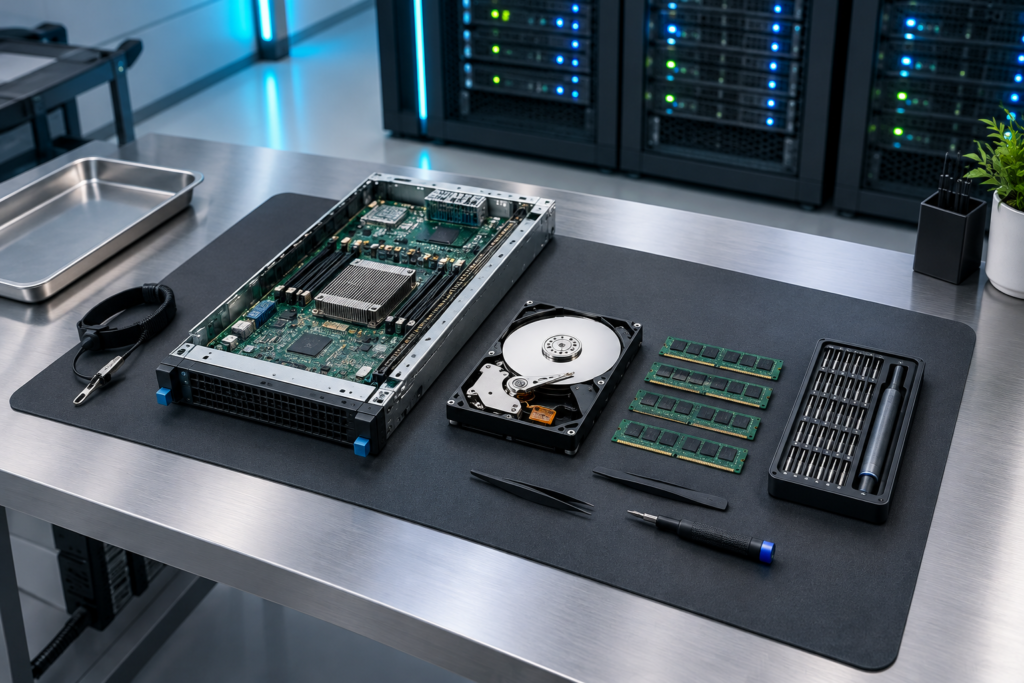
Let’s be honest; somewhere in your building, there’s probably a forgotten closet hiding an old server, a stack of laptops, and a box of drives marked “deal with later.” (We all know “later” sometimes means “never.”)
All of those devices still remember things you’d rather they didn’t. So, let’s get rid of them the right way, without starring in the next data breach headline.
Formatting Isn’t Really Wiping
Here’s the truth: most data leaks from old hardware don’t come from clever hackers. It’s someone getting a “wiped” drive that someone just formatted.
If you only do a quick format, the file system just gets rebuilt and the real data is still sitting there. Most recovery tools have no problem bringing all that data back.
There’s a legal sting too. GDPR fines can reach up to 20 million euros or 4% of global turnover, whichever is bigger.
In the US, a health plan once forked over $1.2 million to settle a HIPAA case, just because they returned leased photocopiers with patient data still on the hard drives. Who even remembers to audit the copy machines?
Don’t forget e-waste rules, either. The EU’s WEEE Directive requires electronics to be collected and recycled, and a bunch of US states ban tossing them into landfills. Loading up a dumpster with old gear isn’t a viable shortcut anymore.
Start With the Boring Spreadsheet
Nobody gets excited about spreadsheets, but inventory is where everything starts.
For each device, record the serial number, asset tag, last known owner, and storage type (HDD, SSD, NVMe). Note if the drive was encrypted; your wipe method depends on it. Be clear about each item’s fate: will it be reused, resold, recycled, or destroyed?
Count drives, not just devices. That “simple” laptop refresh with 60 machines? Some might have two drives; now you’re at 70-plus.
The drives you fail to log can quietly go missing. Watch out for servers with RAID controllers, printers, and even switches; anywhere credentials or configs can hide.
Wipe Like You Mean It
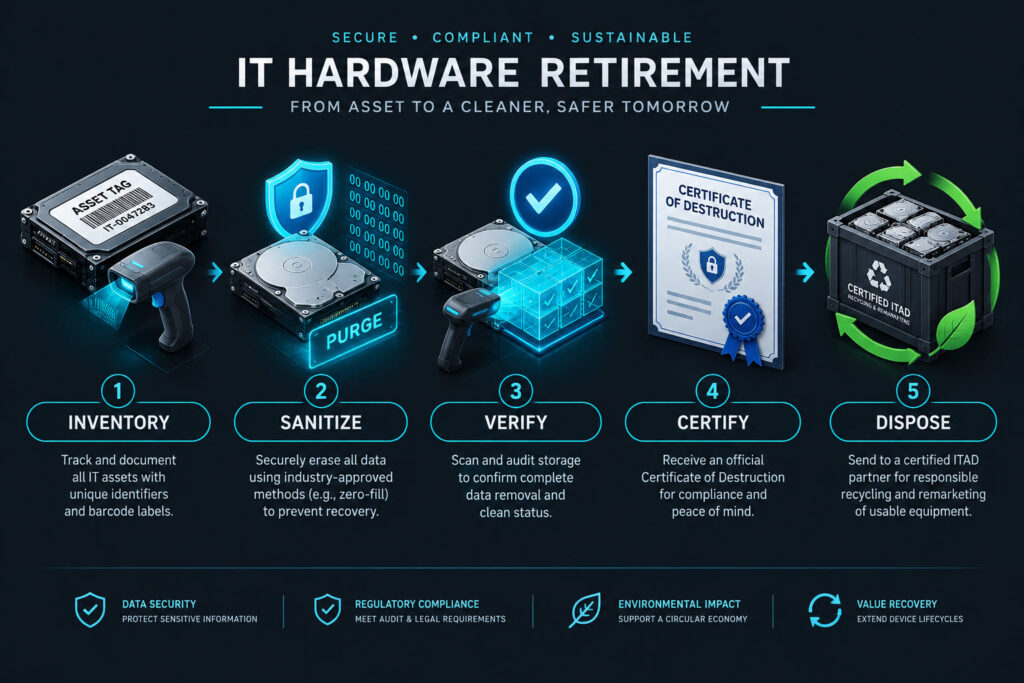
Here’s how the methods stack up, weakest to strongest. Deleting just removes the pointer to the file. Formatting rebuilds the file system, but leaves data behind. Overwriting floods every block with new data.
Cryptographic erase wipes out the encryption keys, turning the remaining data into random junk. Physical destruction? That’s the end of the story.
According to NIST SP 800-88, there are three flavors: Clear, Purge, and Destroy. The latest revision (September 2025) recommends Purge over Clear when possible. Heads up, though: this is guidance, not a stamp of approval for any given product.
SSDs are trickier. Because of wear leveling and hidden spare blocks, normal software overwrites can miss data. Use native drive commands: ATA Secure Erase, Sanitize, NVMe secure erase, or cryptographic erase on self-encrypting drives.
On Linux, for example, nvme format /dev/nvme0n1 –ses=1 will wipe everything on that drive; seriously, check the device name three times before running it.
If you’re keeping laptops internally, Windows’ “Reset this PC” with the deep clean option is usually enough. If something is leaving your control, go with Purge. Degaussing?
Forget it if you’re dealing with flash; and as of the 2025 NIST update, it’s not even considered true destruction anymore.
And always verify. Grab a few wiped drives and hit them with recovery software before they leave the building. It takes under ten minutes and turns guesswork into confidence.
Call in the Pros When You Need To
IT asset disposition (ITAD) covers everything: secure pickup, data destruction, paperwork, then resale or recycling.
It makes sense for big hardware refreshes, data center shutdowns, or regulated industries where you need more than just a good feeling. Also, if you’re staring at 300 laptops and only have three weeks, your time isn’t free.
Look for R2 or e-Stewards certification. Ask for certificates of data destruction tied to serial numbers, and make sure they use sealed containers that get tracked so chain of custody isn’t a question.
Check how much you actually get from resale; old kit sometimes costs more to ship than you’ll pull in. It’s worth asking what really happens to the stuff that gets recycled, too.
If you’re still shopping around, there’s a solid roundup out there of top ITAD companies.
Don’t Forget the Paperwork
More often than you’d think, the data wipe is flawless but the documentation is a mess. Hang on to every certificate of destruction, and file them where auditors can find them. Update your asset register so nothing just disappears; it shows up as retired, not MIA.
Shut down all the loose ends, too: MDM enrollments, computer objects in directories, endpoint protection licenses, warranty contracts, and software licenses tied to that device. Orphaned records cause real headaches.
Give Old Gear a Second Shot
If hardware still works, you can redeploy it after wiping, or donate it; which beats grinding it up, by a long shot. Whatever’s left should go through a certified e-waste vendor; not the regular trash.
Before You Send It Out the Door: Do This
Inventory, wipe, verify, document, dispose. That’s the cycle, whether you’re clearing a closet or a data center floor.
- List every device and drive, with their encryption status
- Choose Clear, Purge, or Destroy for each
- Wipe using the right method for each storage type
- Spot-check a few wiped drives
- Save the destruction certificates and update the register
- Close out all accounts and licenses
- Redeploy, donate, or recycle everything through certified channels
