Close Menu
    What's Hot

    Why Manual Tracking Fails Modern Enterprise Compliance

    October 23, 2026

    Overwatch 2 FPS Drops and Stuttering on Windows 11: How to Fix Them (2026)

    October 23, 2026

    Is Your IT Infrastructure Ready for Auditable ESG Data?

    October 22, 2026
    Facebook X (Twitter) YouTube LinkedIn
    Facebook X (Twitter) YouTube LinkedIn
    SysprobsSysprobs
    • Tech Guides
      • Windows
        • Windows 11
        • Windows 10
        • Windows Servers
      • Virtualization
        • VirtualBox
        • VMware
        • Hyper-V
        • Server Virtualization
        • VirtualBox Images
      • PC
        • Linux
        • macOS
        • Hackintosh
        • MS Office
      • Pro IT Tips
        • Internet
        • MS Exchange
        • Fintech
    • Reviews
      • Gadgets
        • Android
        • iPhone
    • Security & Privacy
      • IT Security
    • Data
      • Calculators and tools
      • Statistics
      • Reference tables
    SysprobsSysprobs
    Home»Featured»Why Manual Tracking Fails Modern Enterprise Compliance

    Why Manual Tracking Fails Modern Enterprise Compliance

    Saurav DeyBy Saurav Dey
    Share
    Facebook Twitter LinkedIn Pinterest Email

    A spreadsheet can record a regulatory change, but it can’t reliably manage the decisions, deadlines and evidence that follow. As an enterprise expands across jurisdictions, manual compliance tracking creates duplicate work and leaves critical updates buried in inboxes or disconnected files. Teams need a controlled process that identifies relevant changes, assigns clear ownership and preserves an audit trail. Without those capabilities, compliance depends too heavily on individual attention and institutional memory.
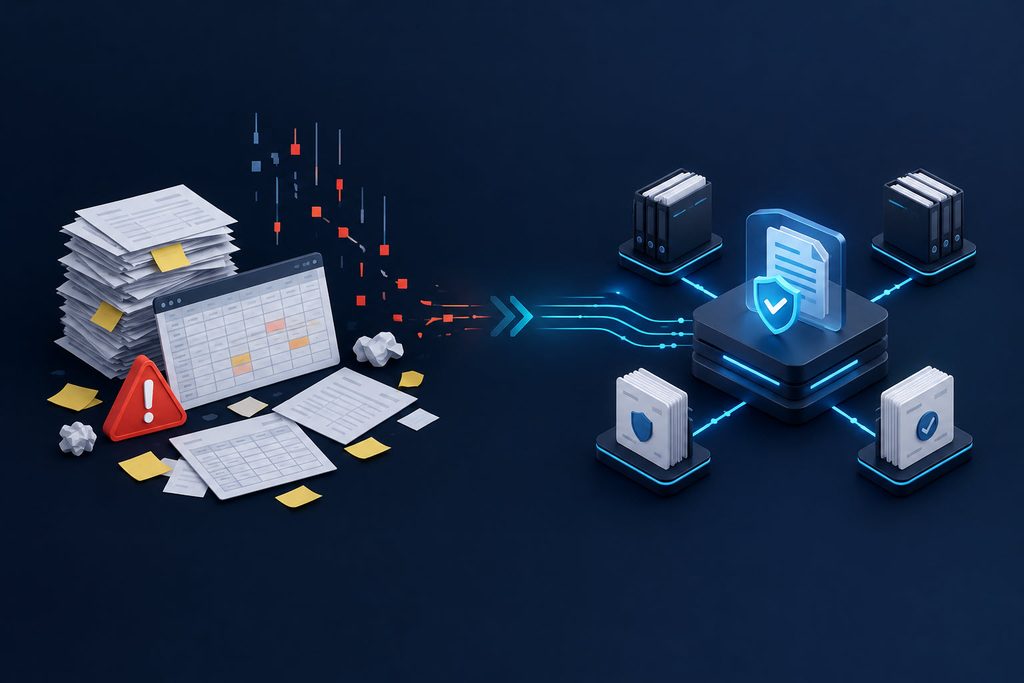
    Manual Tracking Issues

    The High Cost of Spreadsheet Tracking

    Manual tracking appears inexpensive because the software is already available. The larger costs emerge when employees spend hours collecting updates, correcting inconsistent entries and checking whether colleagues completed assigned tasks. Similar manual inventory costs show how data entry and reconciliation can consume resources that aren’t visible in the original budget.

    Spreadsheets also allow formulas to break, rows to disappear and outdated copies to circulate. One incorrect deadline may affect several business units before anyone notices. This broader cost of human error explains why controlled workflows and validation rules matter. Track rework hours, missed handoffs and duplicate reviews to calculate the actual expense of your current compliance process.

    Speed Gaps in Traditional Monitoring

    Traditional monitoring often requires employees to visit regulator websites, read email alerts and copy relevant details into shared files. If a rule is published on Friday and reviewed the following Wednesday, the organization has already lost several working days. A further delay occurs while legal teams interpret the update and locate affected product owners.

    Organizations operating across multiple jurisdictions can use regulatory intelligence software to centralize updates, structured analysis and regulatory change workflows. Before selecting a platform, document how quickly your team must detect new requirements, which jurisdictions it covers and who approves each response. Set measurable service targets, such as triaging high-priority updates within one business day and assigning an owner before the next review cycle.

    Deploying Dedicated Intelligence Platforms

    Start deployment with one defined compliance process instead of moving every spreadsheet at once. For example, migrate payment licensing updates for three jurisdictions, then compare detection times, assignment rates and overdue actions against the previous process. A focused pilot exposes configuration problems without disrupting the entire compliance function.
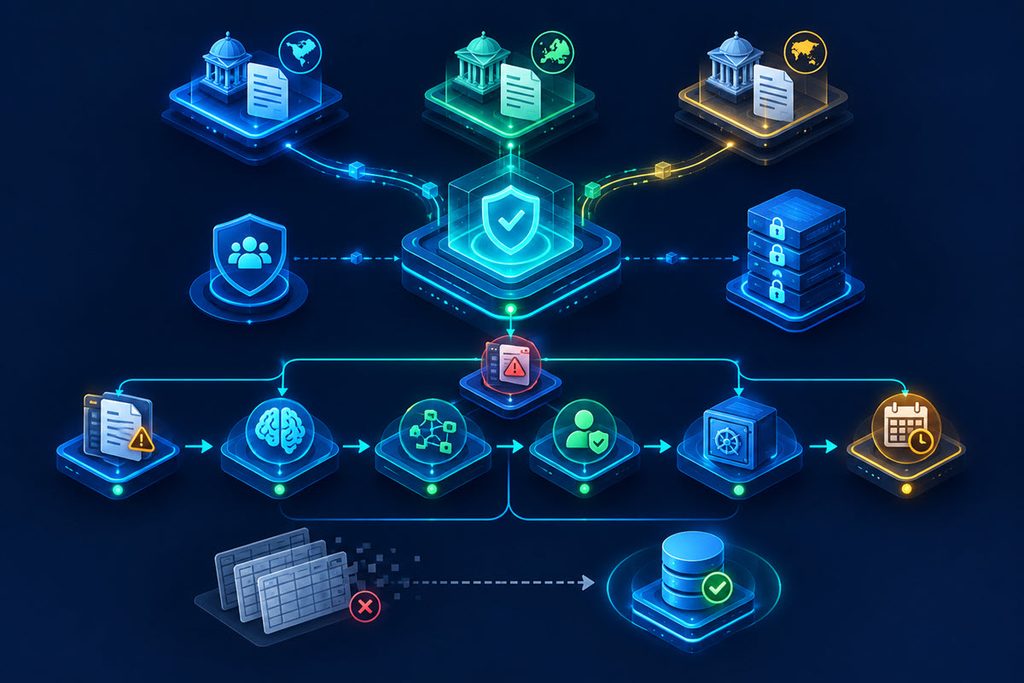
    Deploying Dedicated Intelligence Platforms

    The platform should record the source, publication date, legal interpretation, affected controls, accountable owner and supporting evidence. Automated reminders can flag approaching deadlines, while role-based access limits unauthorized edits. Evidence from clinical trial tracking costs also illustrates how repeated manual handling quietly drains specialized budgets. During rollout, remove duplicate trackers and define which system holds the official record. Otherwise, employees may continue maintaining parallel files that undermine data quality.

    Unifying Legal and Engineering Teams

    A central platform only works when legal and engineering teams agree on how regulatory analysis becomes technical work. Legal staff should describe the obligation, effective date and acceptable evidence in plain language. Engineering teams can then map those requirements to systems, controls and release schedules. A shared ticket might connect a new reporting requirement to database changes, testing results and final approval.

    Create a weekly review for high-impact changes and a monthly check for lower-priority items. Each record should have one accountable owner, even when several departments contribute. Use common status labels such as under review, implementation scheduled, testing and complete. Completion should require attached evidence, not a verbal update.

    The strongest test is simple: select one regulatory change and trace it from publication through interpretation, implementation and approval. If that history can’t be produced quickly from a single controlled record, manual tracking is still shaping the process.

    Free Tips
    Share. Facebook Twitter Pinterest LinkedIn Tumblr Email
    Saurav Dey
    • Website

    Saurav is an electrical engineer, a Microsoft Windows enthusiast and an avid gamer. He likes tinker with old and new versions of Microsoft Windows, fixing errors, and writing tutorials.

    Related Posts

    Overwatch 2 FPS Drops and Stuttering on Windows 11: How to Fix Them (2026)

    October 23, 2026

    Is Your IT Infrastructure Ready for Auditable ESG Data?

    October 22, 2026

    Is Softonic Safe to Download From? How to Check Before You Click

    October 22, 2026

    How to Refresh Outlook (F9, Sync Button, Auto Refresh and Fixes)

    October 21, 2026

    6 Endpoint Management Tools for Patching, Security and IT Operations

    October 21, 2026

    Retiring Old IT Hardware Safely: A Practical Guide for IT Admins

    October 20, 2026
    Leave A Reply Cancel Reply

    Top Posts

    Where is the Outlook QR code? How to Use?

    February 16, 2024

    How to Install and Use Outlook for Ubuntu 24.04 LTS/24.10

    December 10, 2025

    Download and Use Windows 7 Pre-Installed VirtualBox Image

    May 3, 2022
    Don't Miss

    Why Manual Tracking Fails Modern Enterprise Compliance

    October 23, 2026

    A spreadsheet can record a regulatory change, but it can’t reliably manage the decisions, deadlines…

    Overwatch 2 FPS Drops and Stuttering on Windows 11: How to Fix Them (2026)

    October 23, 2026

    Is Your IT Infrastructure Ready for Auditable ESG Data?

    October 22, 2026

    Is Softonic Safe to Download From? How to Check Before You Click

    October 22, 2026
    Stay In Touch
    • Facebook
    • YouTube
    • Twitter
    • LinkedIn
    Latest Posts

    Why Manual Tracking Fails Modern Enterprise Compliance

    October 23, 2026

    Overwatch 2 FPS Drops and Stuttering on Windows 11: How to Fix Them (2026)

    October 23, 2026

    Is Your IT Infrastructure Ready for Auditable ESG Data?

    October 22, 2026
    300x250 001 English PCRepairKit Yakusheva
    UP NEXT FOR YOU
    • Overwatch 2Overwatch 2 FPS Drops and Stuttering on Windows 11: How to Fix Them (2026)
    • Is Your It Infrastructure ReadyIs Your IT Infrastructure Ready for Auditable ESG Data?
    • What Is SoftonicIs Softonic Safe to Download From? How to Check Before You Click

    INFORMATION
    • About
    • Contact Us
    • Privacy Policy
    ABOUT

    Established in 2007, Sysprobs is a trusted resource for IT professionals and system administrators. We publish practical, battle-tested guides for the people who run Microsoft infrastructure — Windows, Windows Server, Active Directory, Entra ID, Intune, Exchange, and virtualization. Real fixes for real production problems, written by people who've actually hit them.

    POPULAR SECTION

    WINDOWS 11
    WINDOWS 10
    VIRTUALIZATION
    IT SECURITY
    PRO IT TIPS


    Information
    • About
    • Contact Us
    • Homepage
    • Privacy Policy
    Sysprobs
    Facebook X (Twitter) YouTube LinkedIn
    • Home
    • Windows
    • Cloud
    • Security & Privacy
    © 2026 SYSPROBS: System Security & Fintech Solutions. Protected by Cloudflare.

    Type above and press Enter to search. Press Esc to cancel.