


A single unpatched laptop sitting on a shared network can undo months of careful IT work. That’s the quiet math behind every endpoint management purchase: one missed update, one overlooked third-party app, one device nobody remembers to check. The platforms below take different paths to the same goal, so here’s what actually separates them.
Best for Fast Deployment and Deep Third-Party Patching – PDQ
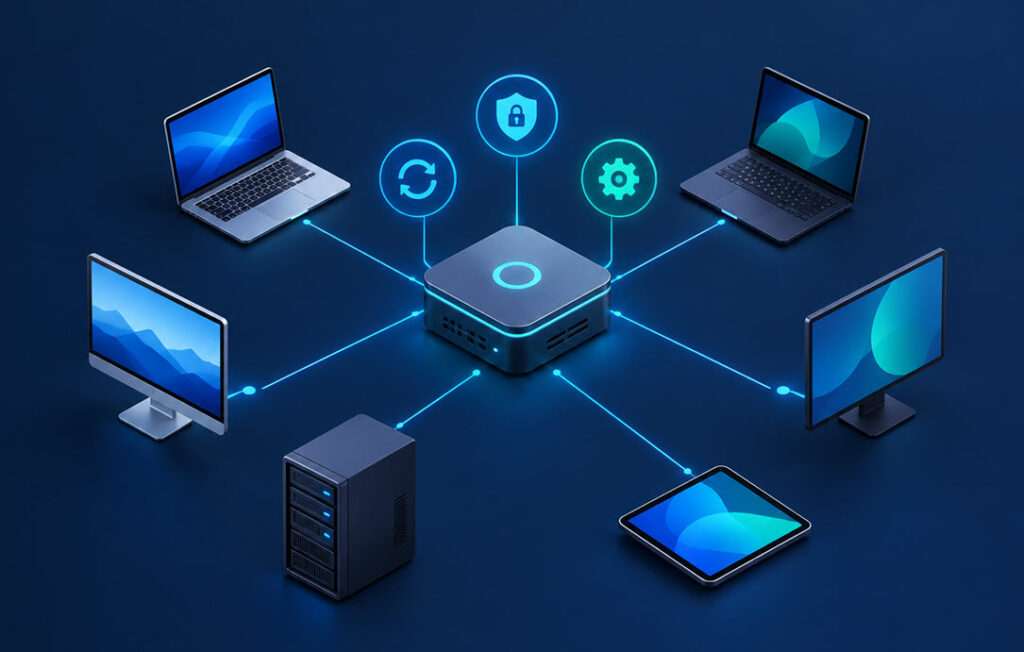
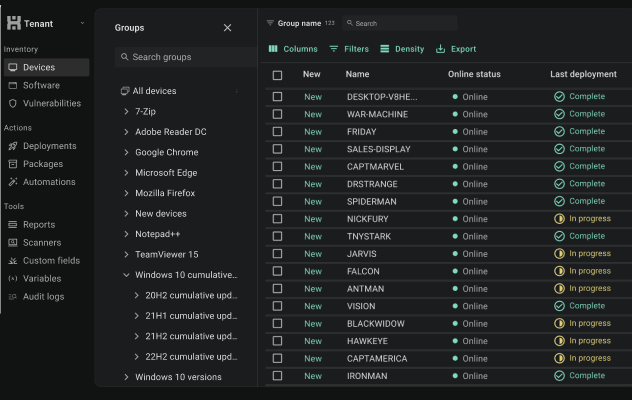
PDQ offers endpoint management tools designed to help IT teams handle patching, software deployment, and device visibility without unnecessary complexity. PDQ Connect is a cloud-based platform for managing Windows and macOS endpoints, with capabilities including operating system and third-party application patching, software deployment, device inventory, vulnerability management, remote troubleshooting, and automation.
Ease of administration is a key part of PDQ’s approach. Its package library includes maintained packages for common third-party applications, while teams can also create custom packages for their own deployment needs. This can reduce the manual work involved in tracking application updates and preparing deployments across multiple devices.
PDQ also connects vulnerability information with remediation workflows. IT teams can identify affected devices and software, prioritise vulnerabilities using risk information, and deploy appropriate updates through the platform. This helps shorten the path from discovering a vulnerability to addressing it, particularly when third-party applications need attention alongside operating system updates. The exact capabilities available depend on the PDQ product and plan being used.
Best for Full-Lifecycle Mobile and Rugged Device Management – SOTI MobiControl
SOTI MobiControl is built for organizations managing devices in the field, not just desks. It’s an EMM platform designed for any device, form factor, and operating system, and it leans into use cases that go beyond a typical office fleet; think rugged handhelds, IoT endpoints, and devices that spend their day on a warehouse floor or delivery route.
The feature set reflects that focus: tracking the location of rugged devices, identifying and neutralizing security risks on IoT endpoints, protecting data stored on mobile hardware, and minimizing downtime so field workers stay productive. For a retailer or logistics operation managing handheld scanners and mobile terminals, that’s a more specific fit than a general office IT tool.
The cloud plan runs $4 per device per month, with separate pricing for on-premises hosting. That per-device cloud rate is straightforward to budget against if your fleet count is stable, though it does mean the right fit here depends on actually having a mobile or rugged device fleet to manage rather than a standard desktop environment.
Best for Unifying HR, IT and Finance on One Platform – Rippling IT
Rippling takes a different angle entirely. Instead of specializing in device management, it combines HR, IT, and Finance apps on a single data platform, aiming to remove the friction of running separate systems for payroll, device provisioning, and financial operations.
That’s a genuinely useful pitch for a growing company that wants one login and one data source behind hiring, onboarding, and IT setup. The trade-off is that IT device management is one piece of a much broader workforce platform rather than the main event, so a team whose only need is patching and endpoint visibility is buying a lot of adjacent functionality it may not use.
Best for All-in-One IT Management with AI Automation – Atera
Atera is aimed at IT departments, enterprise teams, and managed service providers who want remote monitoring, ticketing, and automation under one roof. It includes a mobile app for iOS and Google Play, remote access through Splashtop, a built-in ticketing system, 25+ third-party integrations with Zapier support, and agentic AI features called Robin and AI Copilot alongside Cloud Actions for automated workflows.
Pricing runs on a pay-per-technician model: IT department plans range from $149 to $219 per month per technician, while MSP plans range from $129 to $209 per month per technician. That per-technician structure makes costs scale predictably with headcount, but it also means a small IT team pays a premium for the same AI and automation tooling an MSP with dozens of technicians would spread across a larger client base.
Best for Unified Endpoint Management Across Mixed OS Fleets – 42Gears SureMDM
42Gears SureMDM is built for enterprises managing a genuinely mixed device fleet. It covers Android, iOS, Windows, macOS, Linux, and ChromeOS under one unified endpoint management umbrella, paired with enterprise mobility management and security features.
That breadth of OS support is the headline here. If your organization has settled on one or two operating systems, this kind of cross-platform coverage is less of a selling point than it would be for a company juggling five. For a genuinely heterogeneous fleet, though, having one console that speaks to all of them is worth the look.
Best for AI-Powered IT Service Management – Freshservice
Freshservice sits in a slightly different category than the others here. It’s an ITSM platform, not a pure endpoint or patch management tool, positioned as AI-powered and built to be quick to deploy and easy to use.
That makes it a better match for a team whose main pain point is ticketing, service requests, and IT workflow rather than patching and software deployment specifically. It’s worth knowing about as part of the broader IT management category, even if its core strength sits closer to service management than device-level patching.
What to Check Before You Commit to a Platform
A few questions can help narrow down the right platform. First, consider what your device fleet looks like. A company running mostly Windows desktops has different needs from one managing rugged Android scanners, iPads, and ChromeOS laptops. Choose a platform that supports the operating systems and device types your team actually uses.
Second, consider how much time your team spends updating third-party applications rather than operating systems. If non-OS software accounts for a significant share of your patching workload, look closely at the platform’s application coverage and update capabilities. It’s also useful to know how to check which Windows updates are installed when verifying whether patches have reached the devices you manage.
Third, decide whether you need endpoint management alone or a broader platform that includes functions such as HR and finance management or IT service ticketing. Finally, compare pricing models carefully. Per-device and per-technician plans scale differently as your fleet or IT team grows, so consider the total cost as your requirements change.
Matching the Platform to the Problem You Actually Have
None of these six are wrong choices; they just solve different problems. SOTI MobiControl earns its place with field and rugged device fleets. Rippling makes sense when IT is one piece of a bigger HR and finance puzzle. Atera and 42Gears SureMDM both suit teams that want broad platforms, whether that’s AI-driven automation or wide OS coverage. Freshservice fits a team whose real bottleneck is service tickets, not patching.
For IT teams whose main priorities are identifying vulnerable devices, patching operating systems and third-party applications, and deploying software without adding unnecessary administrative work, PDQ is worth considering. Its combination of vulnerability visibility, risk-based prioritisation, maintained software packages, and remediation workflows is particularly relevant to teams that want to move from identifying a problem to addressing it efficiently. Before choosing a platform, check its operating system support, required features, and pricing against your own environment.
