


Exchange EDB files can contain large amounts of mailbox data, but accessing that information isn’t always straightforward especially when administrators need to extract mailbox data from an EDB file without setting up or accessing an Exchange Server environment.
The Free EDB to PST Converter provides a web-based service that allows users to upload an EDB file, analyze its contents, preview the available mailbox folders and item counts, and download the selected mailbox data as PST files in a ZIP archive.
In this review, I tested the online EDB to PST Converter to see how easy it is to upload an EDB file, inspect its contents, and download the mailbox data as PST files.
How the Free EDB to PST Converter Works?
The process is divided into a few straightforward steps:
- Upload the EDB file
- Analyze the EDB
- Preview mailbox folders and item counts
- Download the mailbox data as PST files in a ZIP file
Let’s look at each step.
1. Upload the EDB File
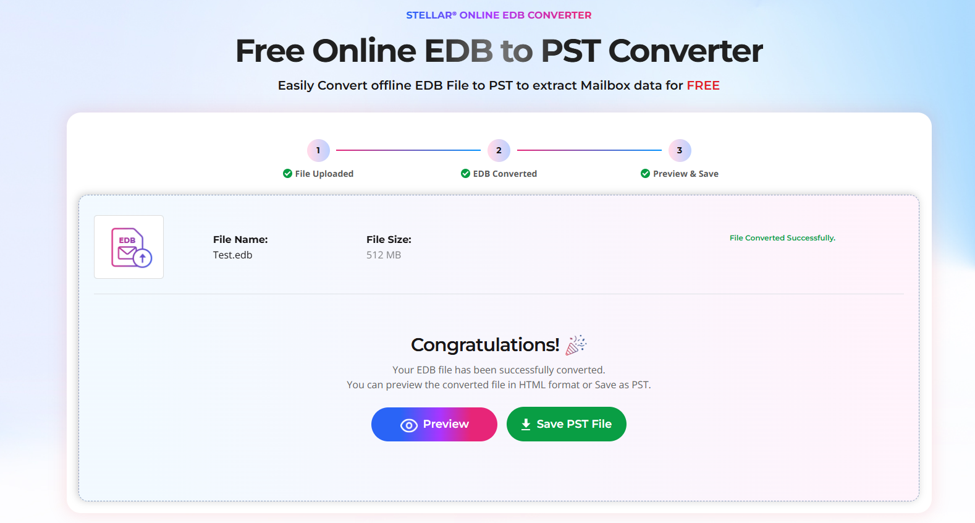
The first step is to sign-in and upload the Exchange EDB file.
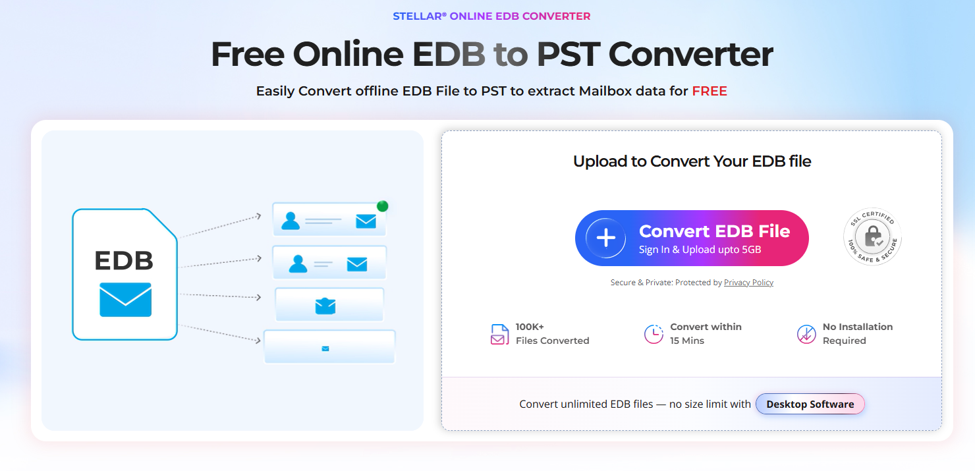
The upload process is straightforward. There is no need to configure an Exchange Server or install additional software on the system. I simply selected the EDB file and started the upload.
For users who only need to extract mailbox data from an EDB file occasionally, this provides a convenient way to get started without setting up a dedicated desktop application.
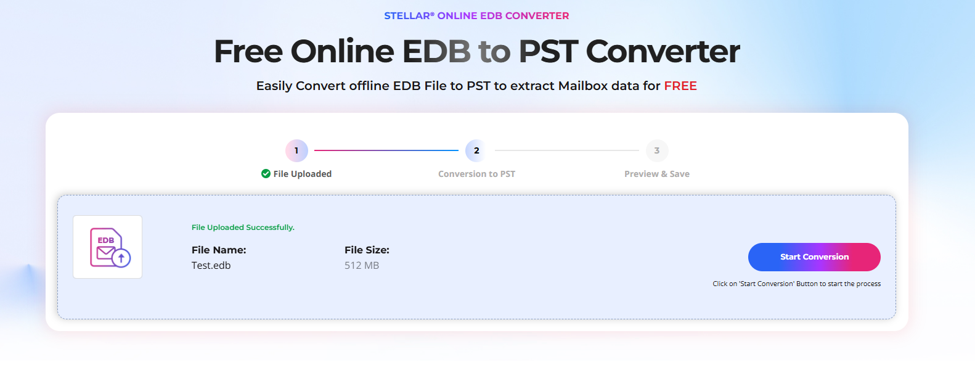
2. Analyze the EDB
Once the EDB file was uploaded, it analyzed the database to identify the available mailbox data.
The analysis process depends on the size of the EDB file and the amount of mailbox data it contains. After the analysis was completed, the available mailbox information was displayed for further inspection.
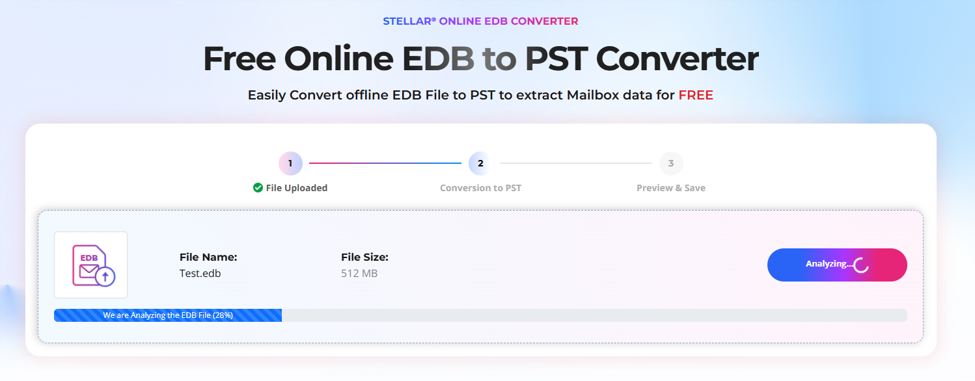
This step is useful because it gives administrators an idea of what mailbox data is available before downloading anything.
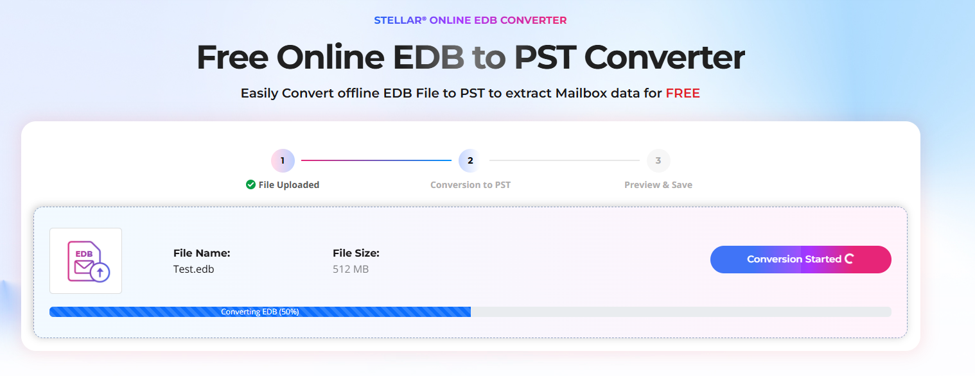
3. HTML Preview of Mailboxes
One of the most useful parts of the process is the HTML preview.
After the EDB was analyzed, I could view the mailbox folder structure along with the number of items available in different folders.
The preview provides information such as:
- Mailbox names
- Folder structure
- Number of mailbox items
- Available folders and subfolders
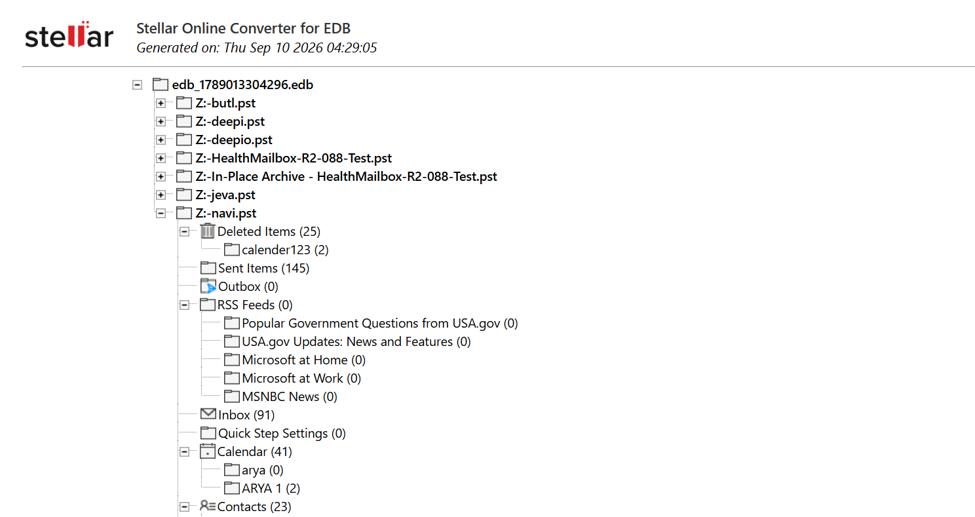
This makes it easier to identify the mailbox data that needs to be downloaded.
Instead of blindly exporting the entire database, administrators can first inspect the available mailbox structure and determine whether the required data is present.
4. Download PST in a ZIP File
After reviewing the mailbox information, the next step is to download the mailbox data.
It converts the mailbox data into PST files and provides them in a ZIP file for download.
This is convenient when the EDB contains multiple mailboxes because the PST files can be downloaded together as a single compressed package.
Once the ZIP file is downloaded, it can be extracted locally and the individual PST files can be accessed using compatible applications such as Microsoft Outlook.
Pricing Options
The Online EDB Converter is available in different options depending on the amount of data that needs to be processed.
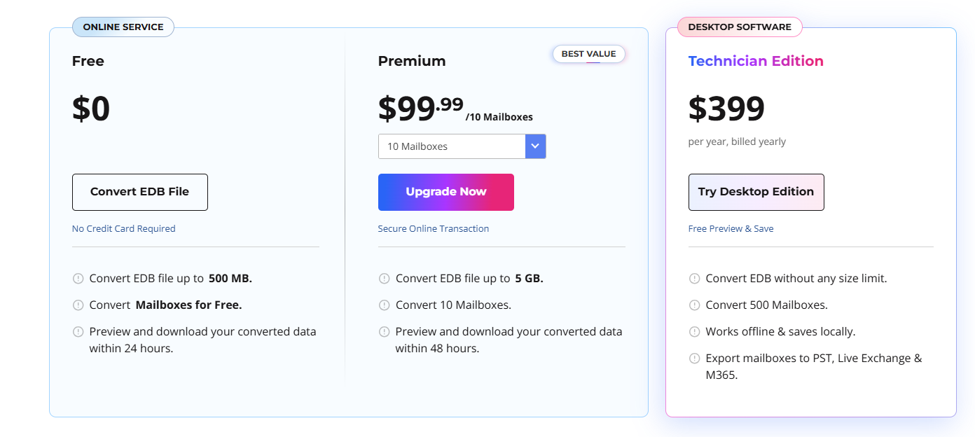
Free
The Free option is suitable for smaller EDB files and occasional use.
- Convert EDB file up to 500 MB
- Convert Mailboxes for free
- Download available within 24 hours
This option can be useful when you only need to process a small EDB file or want to evaluate the service before choosing a paid option.
Premium
The Premium option is designed for users who need to process larger EDB files and multiple mailboxes.
- Convert EDB files up to 5 GB
- Download available within 48 hours
- Premium access: $99.99 / 10 Mailboxes
The Premium option provides a higher limit for users working with larger Exchange databases.
Desktop Edition
For administrators who regularly work with EDB files or need more advanced functionality, the Stellar Converter for EDB Desktop Edition provides additional capabilities.
The Desktop Edition can process EDB files locally and provides options to preview mailbox data, selectively choose mailbox folders, and export data to PST. It also supports additional export destinations, including Live Exchange and Microsoft 365, depending on the license edition.
Desktop Software Overview
The Desktop Edition is designed for administrators and IT professionals who need a more comprehensive solution for working with Exchange EDB files.
Unlike the Online EDB to PST, the Desktop Edition is installed on a Windows computer and provides a broader set of capabilities.
With the Desktop Edition, users can:
- Open and analyze EDB files
- Preview mailbox contents
- Select individual mailboxes and folders
- Convert EDB data to PST
- Export mailbox data to Live Exchange
- Export mailbox data to Microsoft 365
- Work with offline EDB files
- Maintain the existing mailbox folder structure
The Desktop Edition is therefore more suitable for organizations and IT professionals who regularly need to process EDB files or require additional export options.
Security and Data Handling
Security is an important consideration when uploading mailbox data.
According to the service’s data-handling process, uploaded EDB data is automatically deleted from the server after a limited period.
For Free users, uploaded data is automatically deleted within 24 hours, while Premium users’ uploaded data is automatically deleted within 48 hours.
This limited retention period helps reduce the amount of time uploaded mailbox data remains available on the server.
Users should still consider their organization’s data-handling policies before uploading sensitive mailbox information to any external service.
Online Service vs. Desktop Edition
Both options are designed to help administrators extract mailbox data from Exchange EDB files, but they are intended for different situations.
| Feature | Online EDB to PST Service | Desktop Edition |
| EDB File Processing | Upload EDB through the service | Process EDB files on your computer |
| File Size | Up to 500 MB (Free) / 5 GB (Premium) | No file-size limitation |
| Mailbox Preview | HTML preview with folder structure and item counts | Detailed mailbox preview |
| PST Conversion | Yes | Yes |
| Download / Save | PST files in a ZIP file | Save PST files locally |
| Live Exchange / Microsoft 365 Export | Not available | Available |
| Installation | No installation required | Windows installation required |
| Best For | Quick EDB-to-PST conversion | Advanced and regular EDB processing |
The EDB to PST Online service is a good choice when you need a simple way to process an EDB file without installing software. The Desktop Edition is better suited to administrators who need more control, local processing, and additional export destinations.
Verdict
The Free Online EDB to PST Converter by Stellar provides a straightforward way to extract mailbox data from an Exchange EDB file without requiring a desktop installation.
The process is simple: upload the EDB, analyze its contents, preview the mailbox structure and item counts, and download the resulting PST files in a ZIP archive.
The Free option is particularly useful for smaller EDB files and occasional requirements, while the Premium option provides higher limits for larger files and multiple mailboxes.
For administrators who need more advanced capabilities, the Desktop Edition offers a broader workflow with local EDB processing, selective mailbox export, and additional destinations such as Live Exchange and Microsoft 365.
Overall, the right choice depends on the requirement. If the goal is a quick EDB to PST extraction without installing software, the EDB to PST online service provides a convenient option. For recurring Exchange administration tasks and more advanced export requirements, the Desktop Edition offers greater flexibility.
